Growth360 lets you manage replies to email campaigns with a custom reply-to address, and automatically follow up with contacts who didn’t open a campaign using the Resend to Unopened feature.
Reply Management
By default, replies to your email campaigns go to the address specified in your Location Settings. Growth360 lets you override this on a per-campaign basis by setting a custom reply-to address.
Setting a Custom Reply-To Address
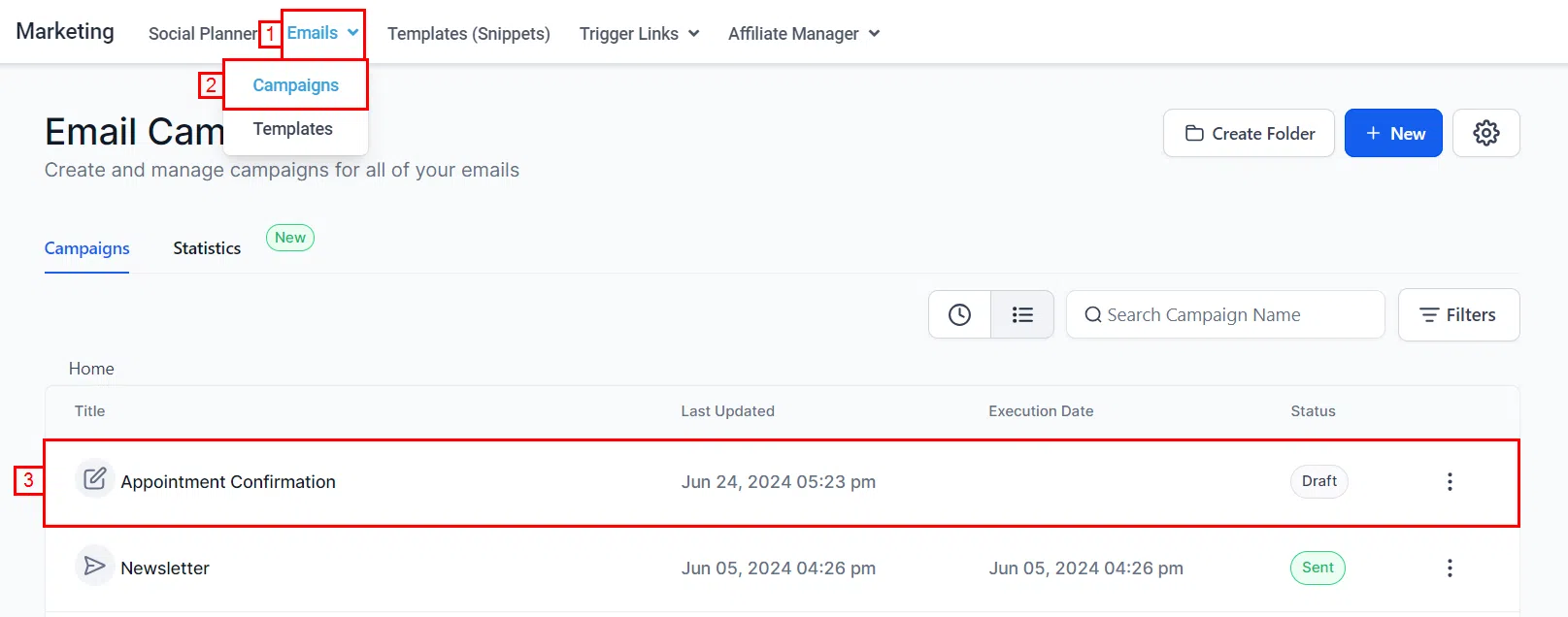
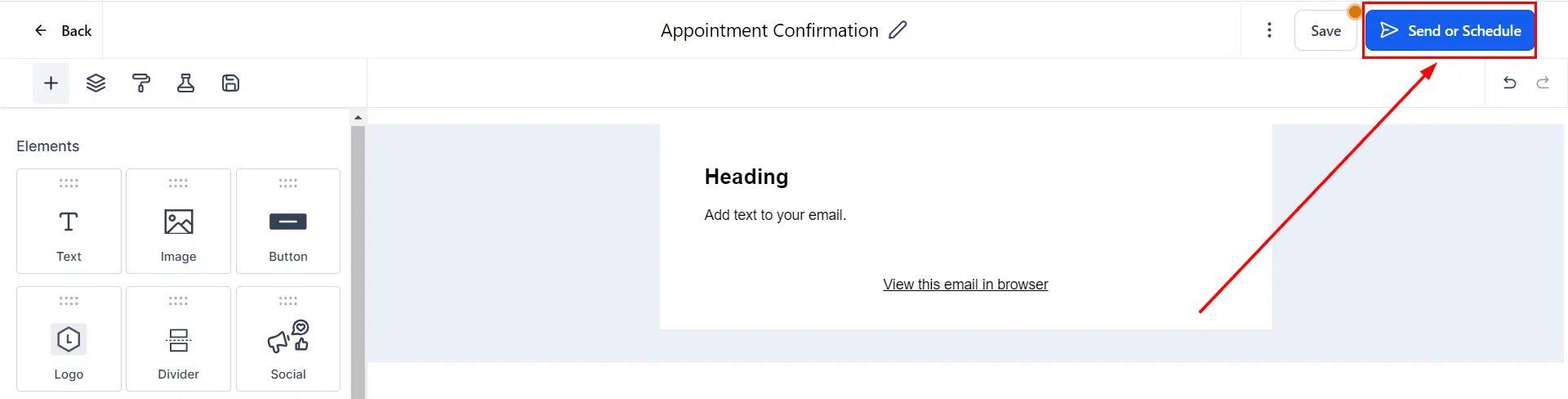
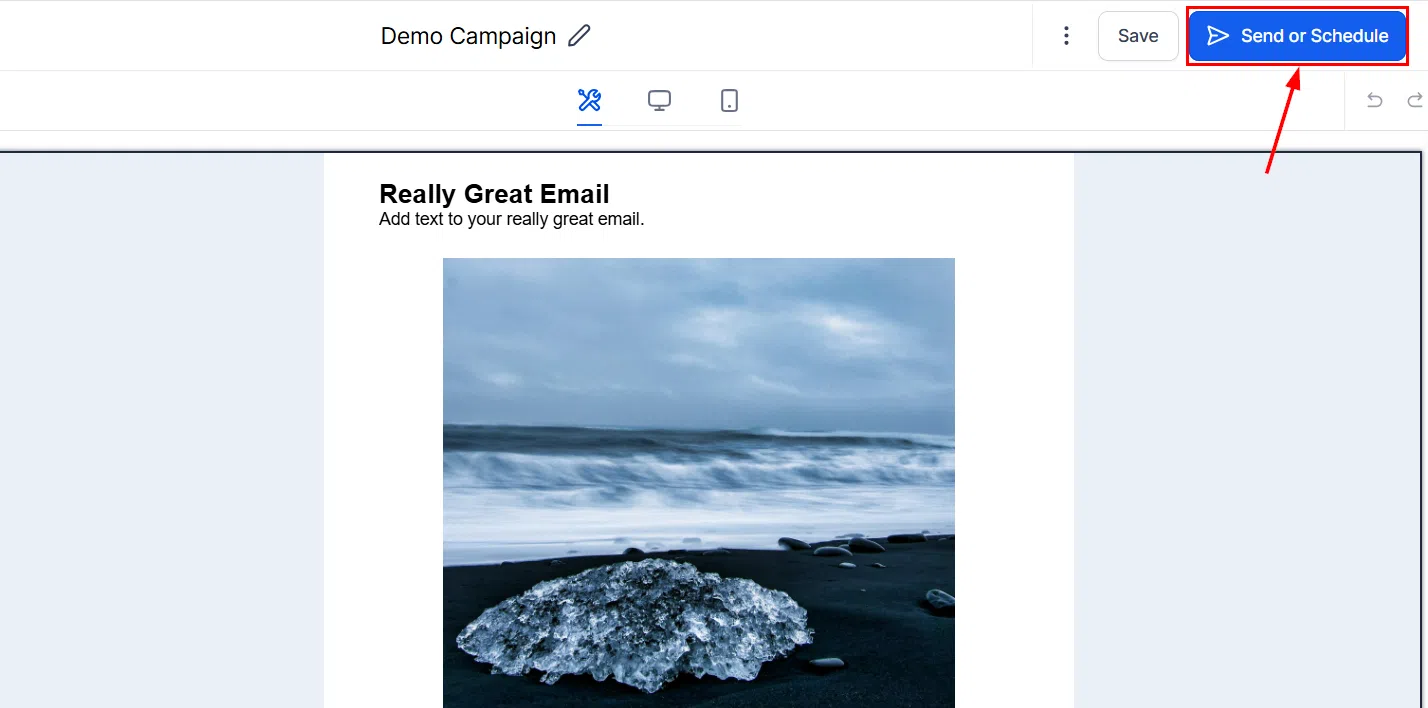
When setting up your campaign, click Send or Schedule to access the delivery settings.
In the sender details section, select Set a custom reply-to address for this campaign if the default reply-to address is not suitable.
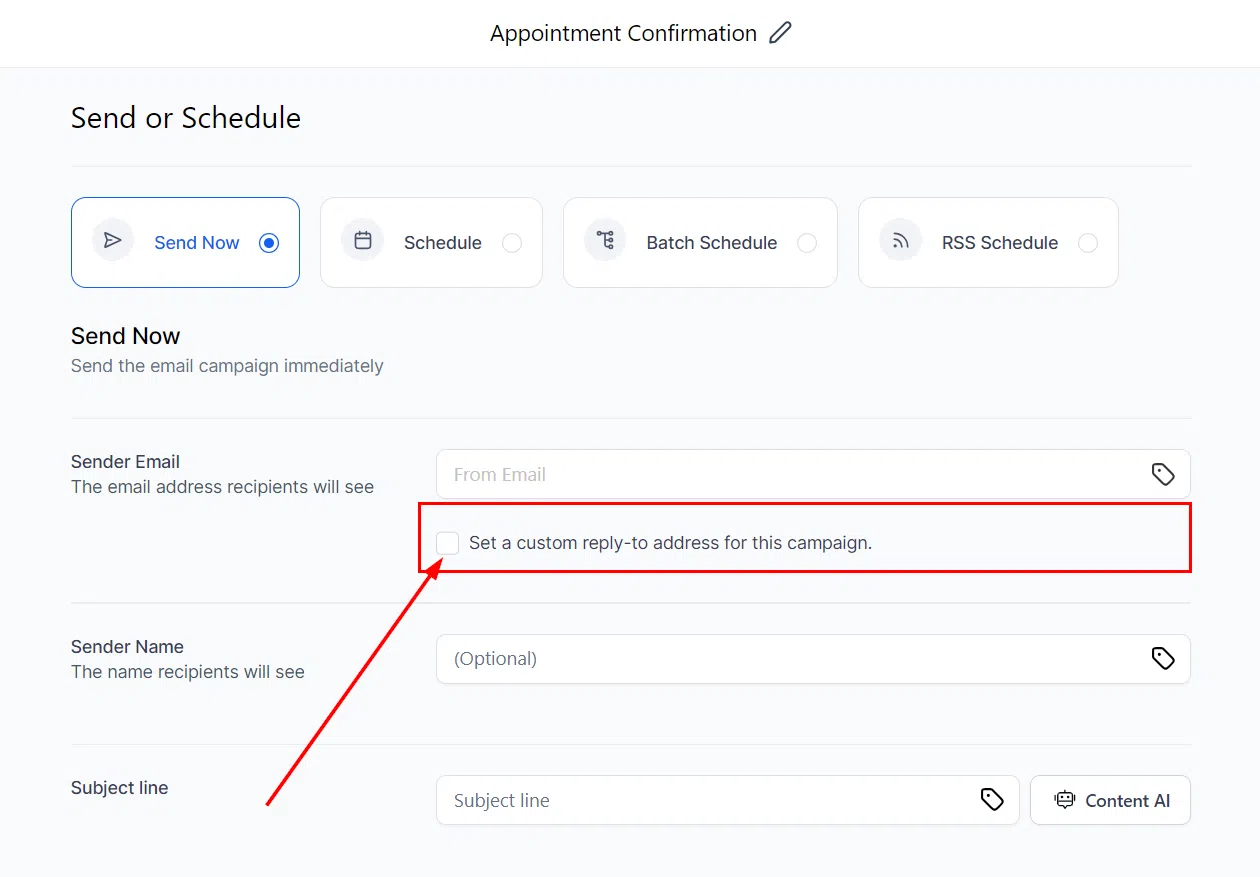
Enter the desired reply-to email address in the field provided.
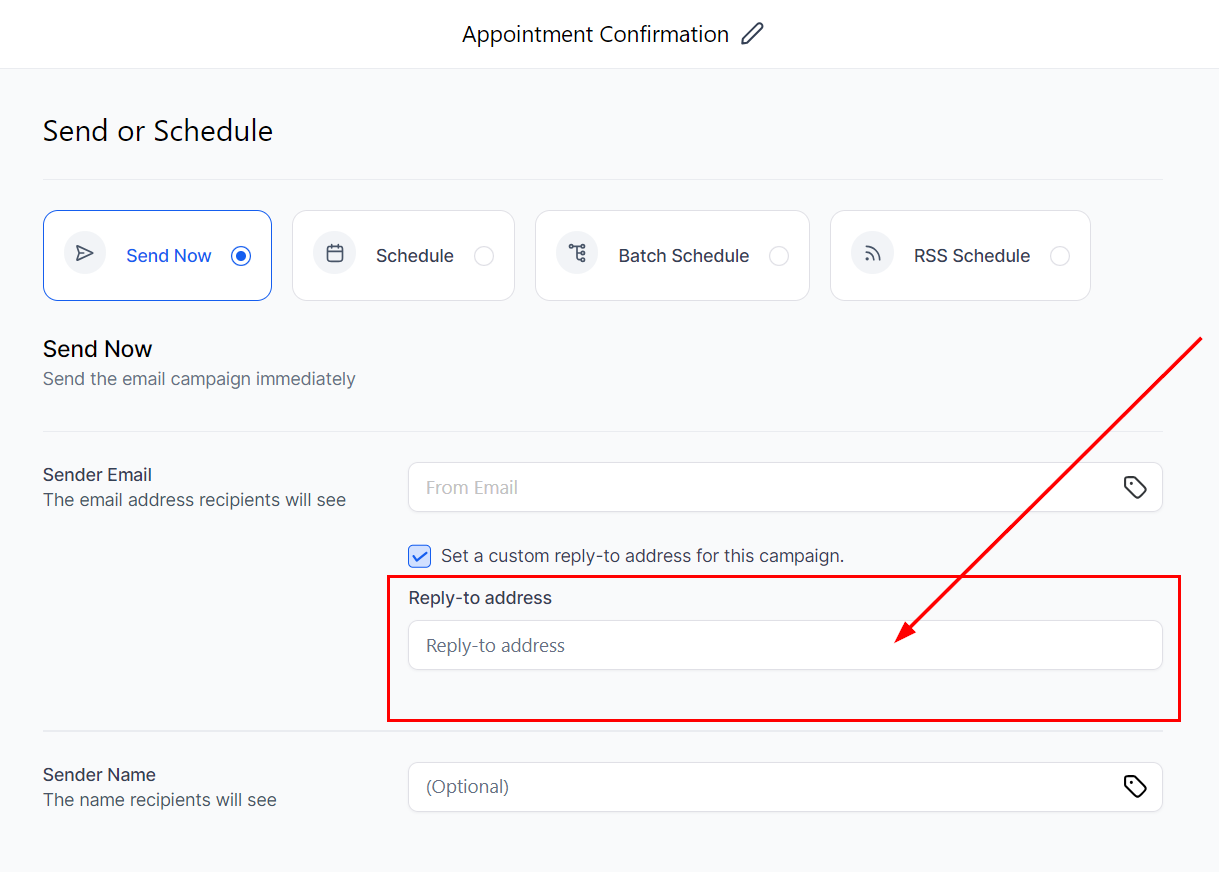
Reply-To Address Priority
Growth360 applies reply-to addresses in this order:
- Priority 1: Custom reply-to address set in the campaign’s Send or Schedule screen (overrides everything else).
- Priority 2: Reply address specified in Location Settings under Email Service – Reply and Forwarding settings.
- Priority 3: System defaults.
Resend to Unopened
The Resend to Unopened feature automatically sends a follow-up email to contacts who didn’t open your original campaign. It’s a straightforward way to improve reach without setting up an entirely new campaign.
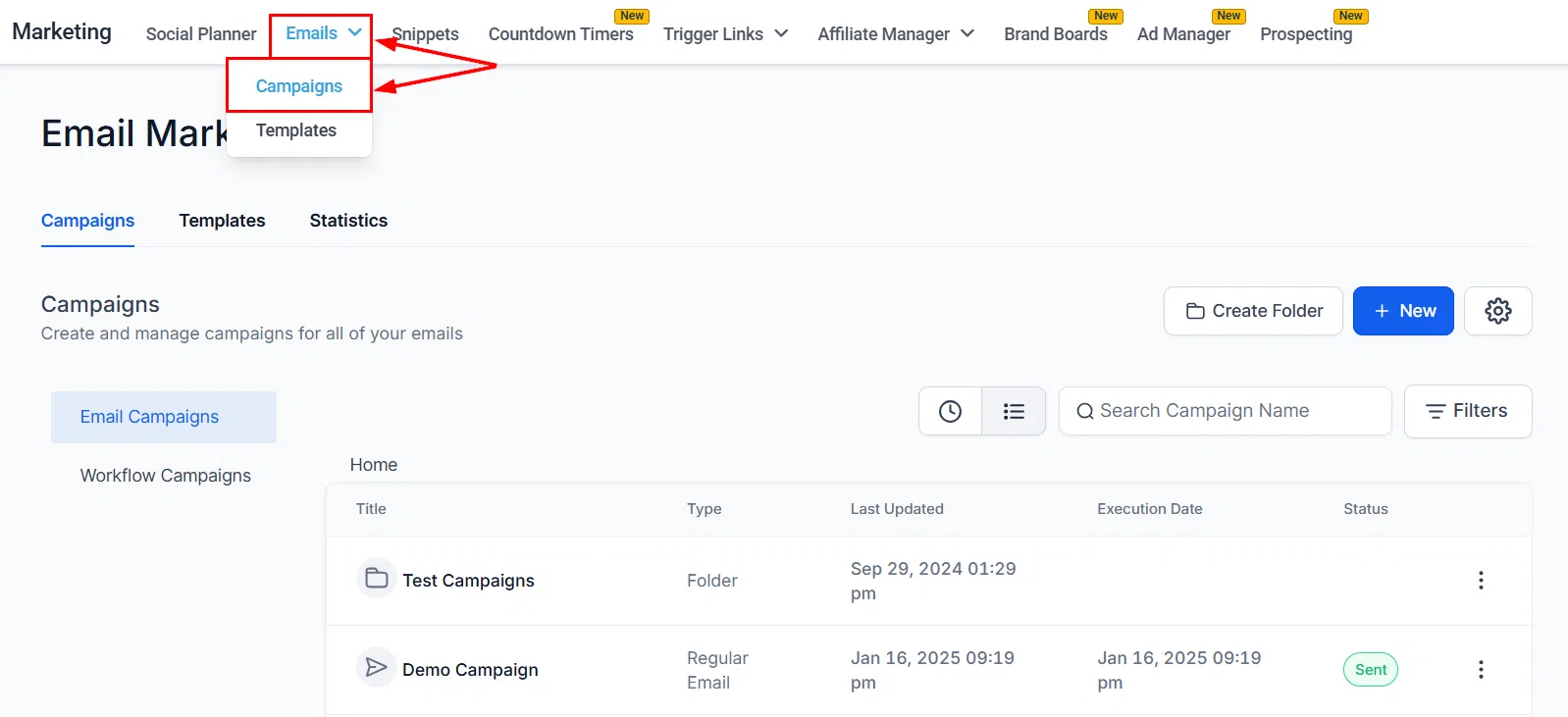
Setting Up a Resend
Find the sent campaign in your Campaigns list and click the three-dot action menu. Select Resend to Unopened.
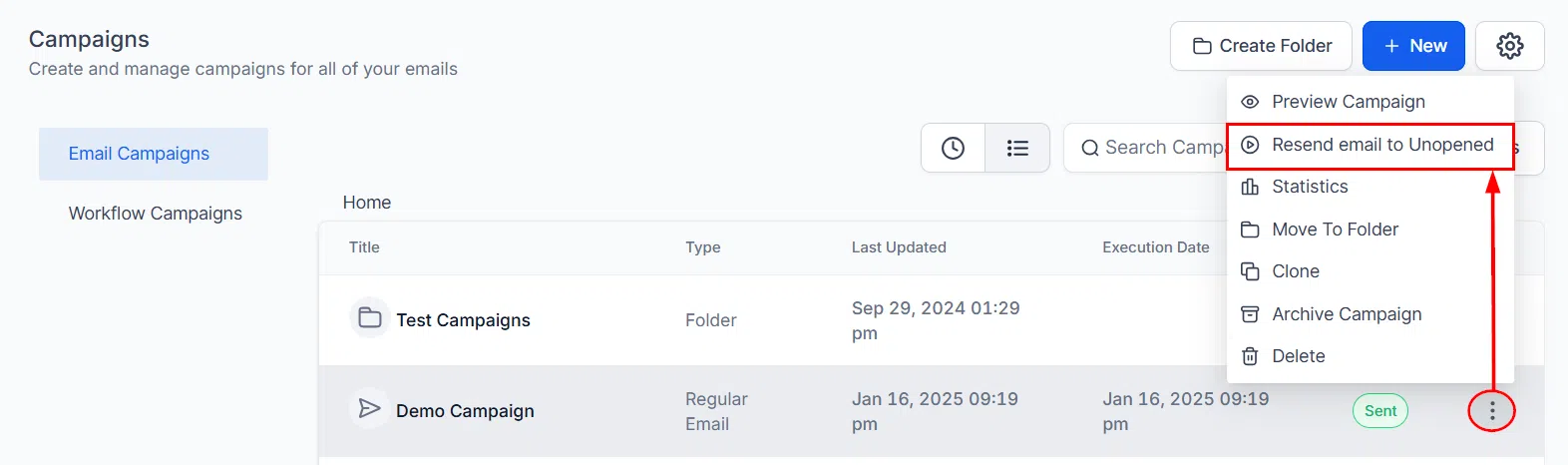
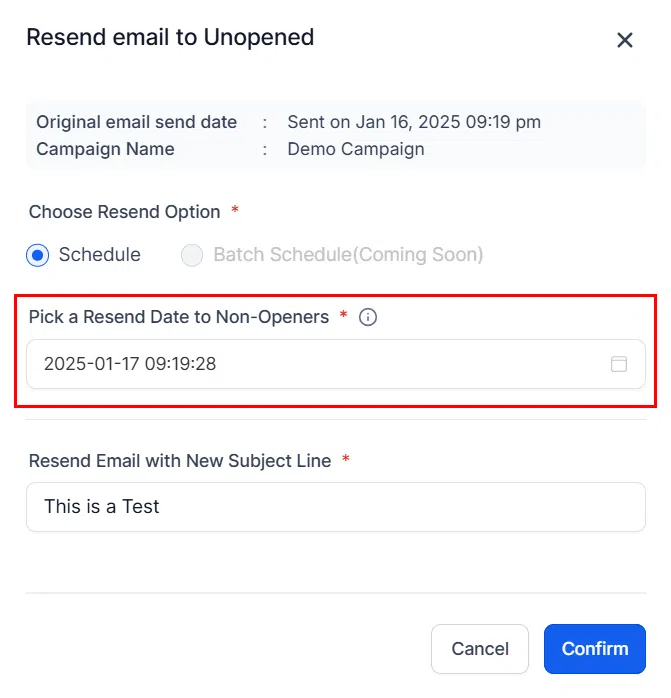
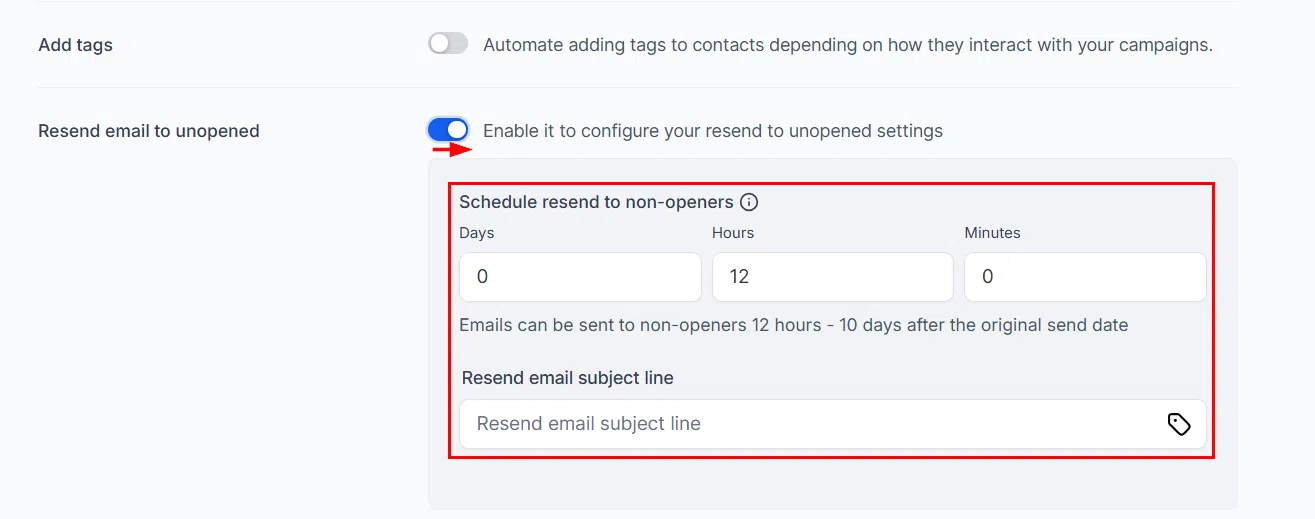
Set the resend date – this is when the follow-up email will go out to contacts who haven’t opened the original.
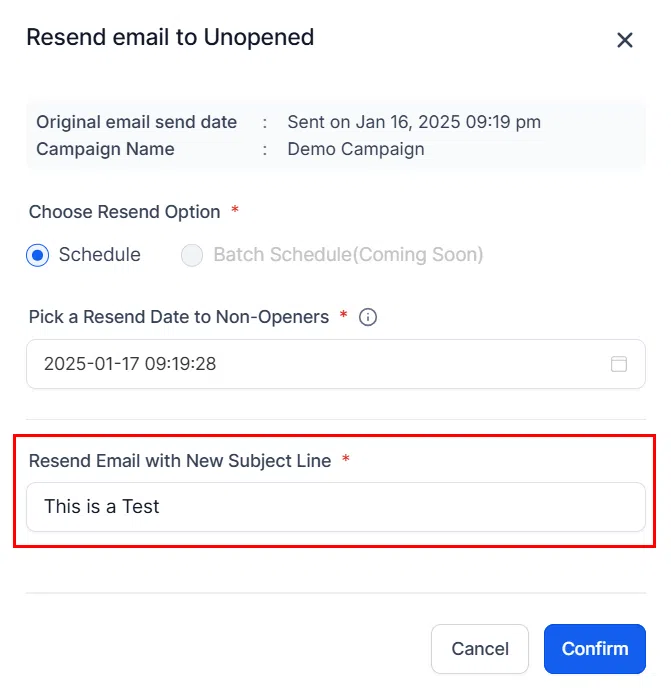
Optionally update the subject line for the resend. A different subject line can improve open rates by catching contacts who missed or skipped the original.
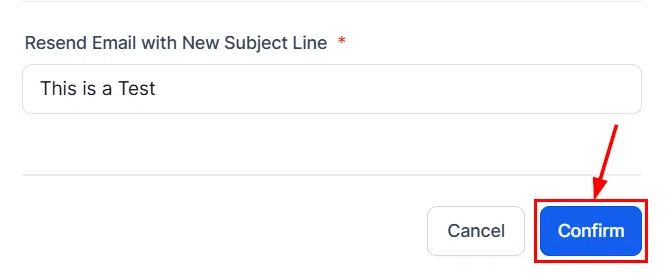
Review the resend details and confirm to schedule it.
Sending Immediately
You can also choose to send the resend immediately rather than scheduling it for a later date.
Monitoring Resend Status
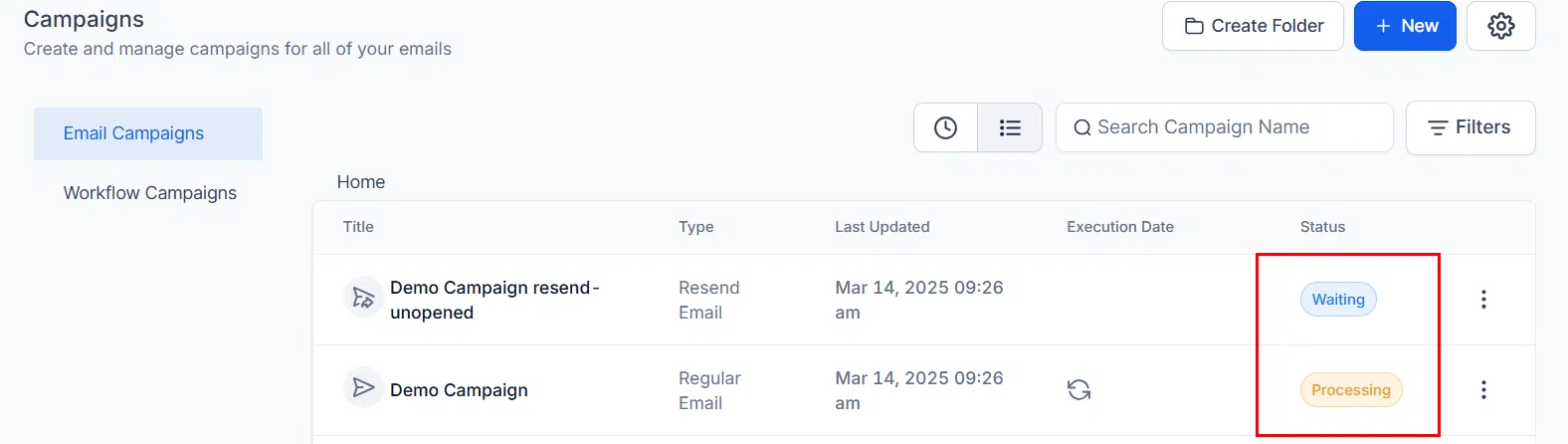
After scheduling a resend, you can track its status from the campaign list. The status shows whether the resend is pending, in progress, or complete. You can also cancel a scheduled resend from this view if needed.
Tips for Resending
- Change the subject line: A fresh subject line is the most effective way to improve open rates on the resend.
- Use sparingly: Resending too frequently can frustrate contacts. Monitor engagement to find the right frequency for your audience.
- If the resend also goes unopened: Experiment with different send times, preview text, and subject approaches rather than resending again immediately.