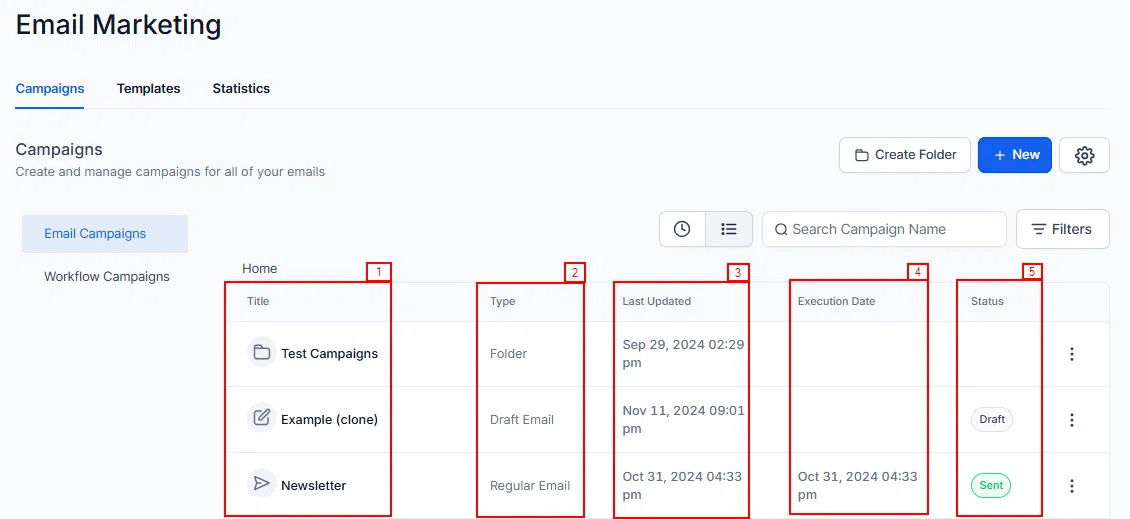
The Campaigns section in Growth360 is where you create, organise, and manage all your email campaigns – from initial setup through to reviewing performance.
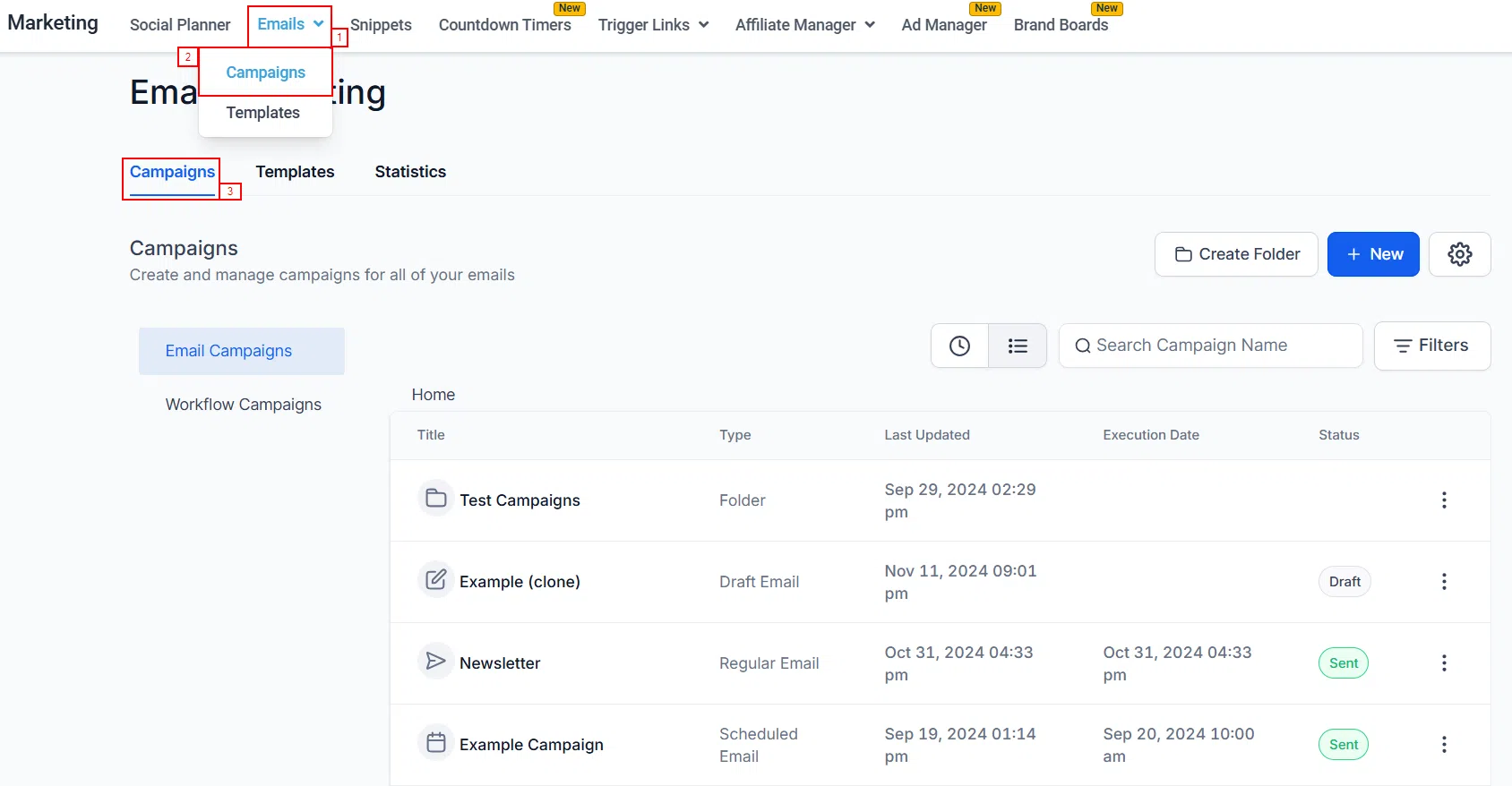
To access your campaigns, navigate to Marketing > Emails > Campaigns.
Organising Your Campaigns
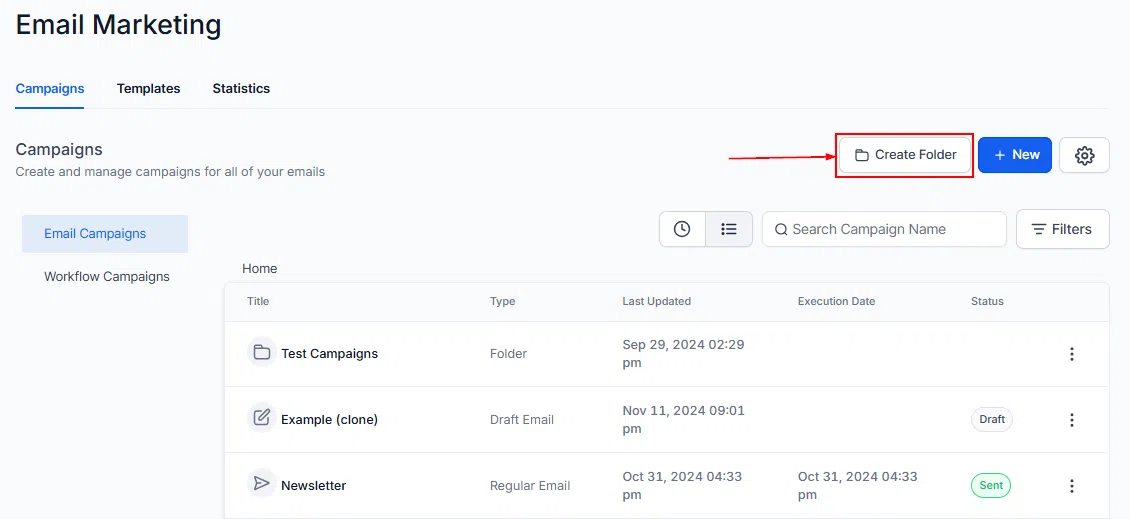
Use the Create Folder button to group related campaigns into folders, keeping your campaign library tidy and easy to navigate.
Creating a New Campaign
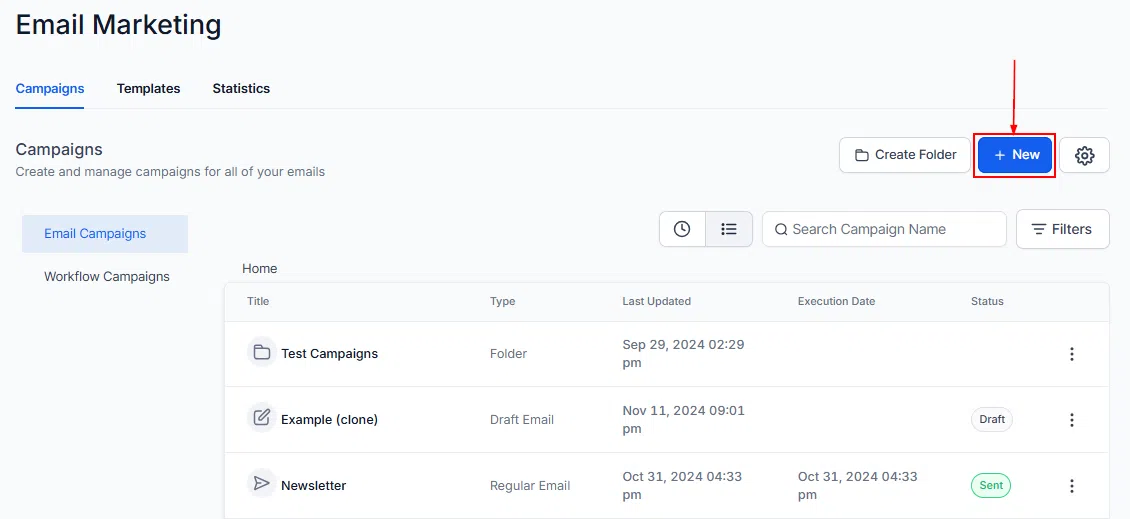
Click the +New button to start a new campaign. You can create promotional emails, newsletters, follow-up sequences, or any other campaign type – each with fully customisable content and settings.
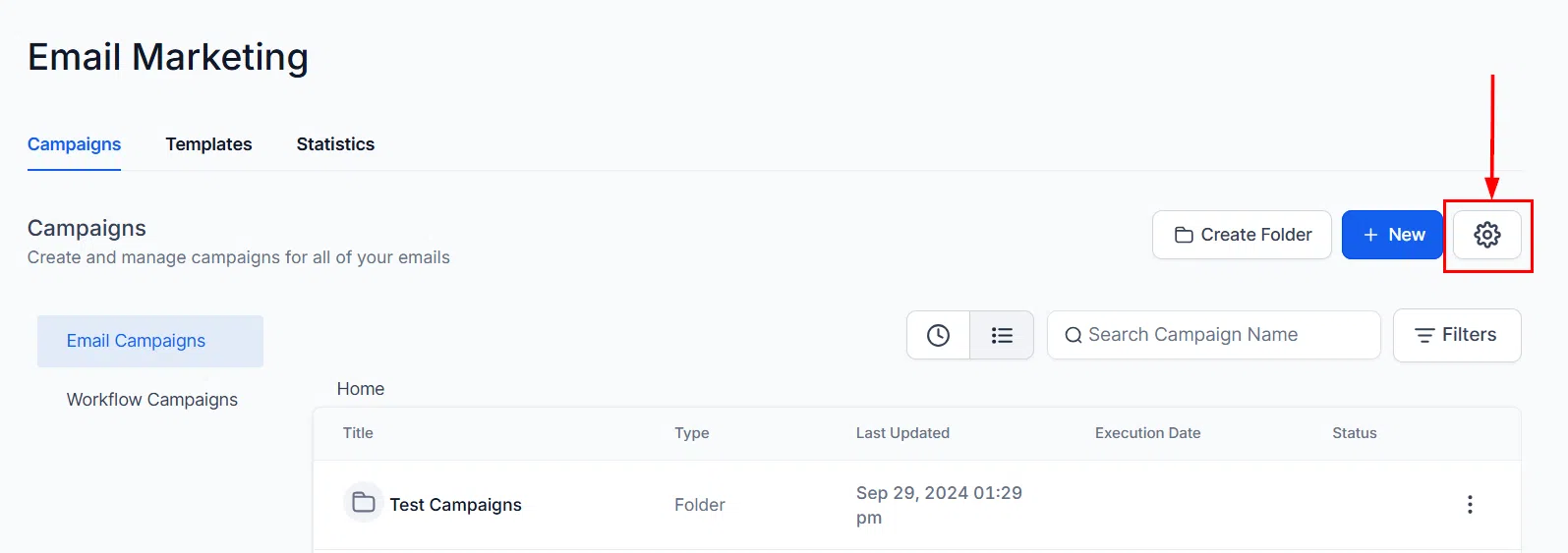
Email Settings
Click the Settings option to update your default email configuration, including sender name, reply-to address, and other campaign-level preferences.
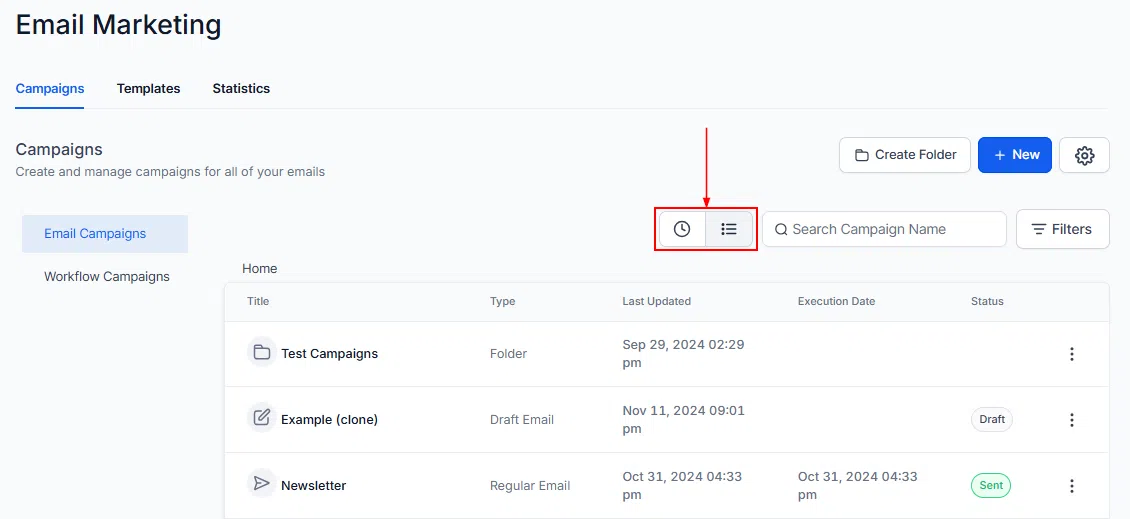
Campaign List
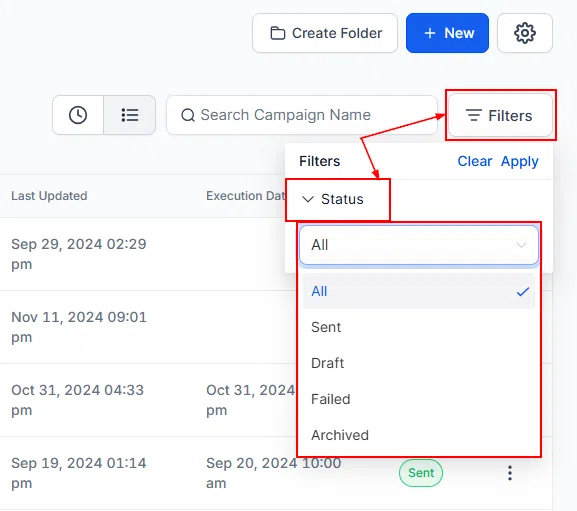
Your campaigns are displayed in a list view showing key details at a glance. You can toggle between Recent and folder views to find campaigns quickly.
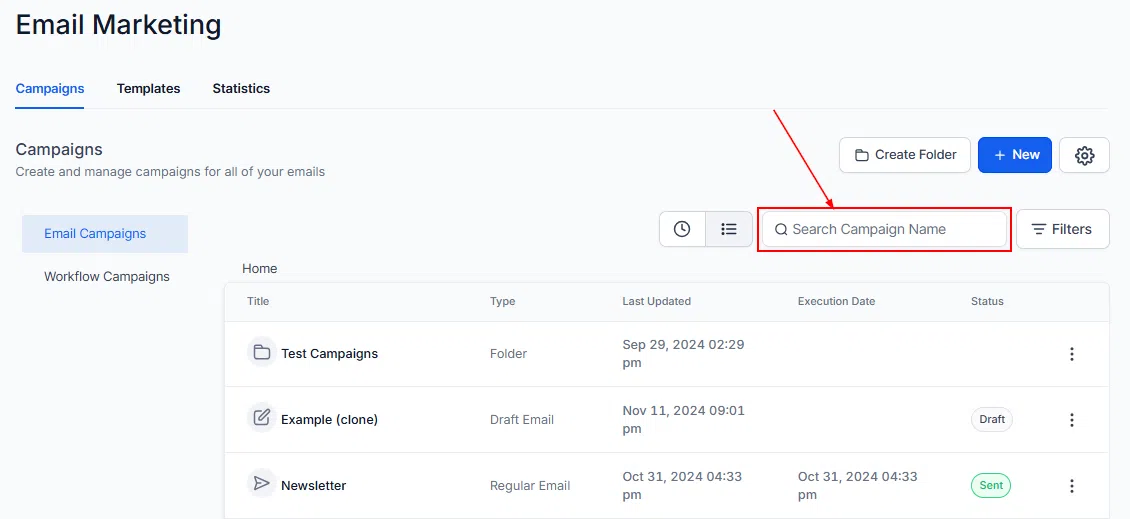
Each campaign row shows:
- Type: Whether the item is a folder, draft, or regular email campaign.
- Last Updated: The date the campaign was most recently created or modified.
- Execution Date: The date the campaign is scheduled to run.
- Status: Whether the campaign is in draft or scheduled.
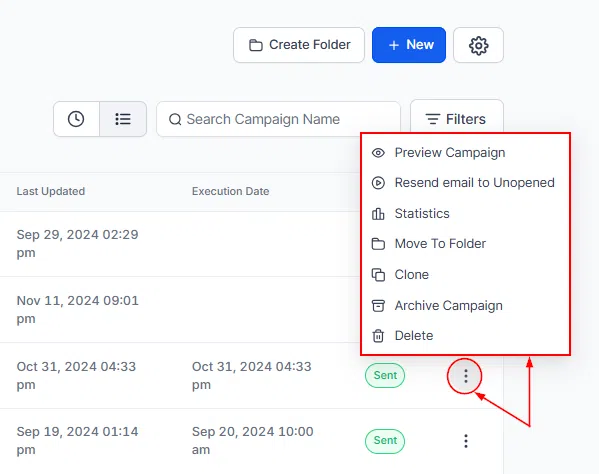
Campaign Action Menu
Each campaign has an action menu giving you quick access to common management tasks.
- Preview Campaign: View a preview of the campaign before it sends.
- Resend Email to Unopened: Target contacts who didn’t open the original email and resend to them.
- Statistics: View performance data for the campaign.
- Move to Folder: Relocate the campaign to a specific folder.
- Clone: Create a copy of the campaign to use as a starting point for a new one.
- Archive Campaign: Archive the campaign to remove it from your active list without deleting it.
- Delete: Permanently remove the campaign. This action cannot be undone.