Updating your Smart List filters is a powerful way to precisely segment your contacts based on critical information, such as their sales progress and interactions with your company.
This precision ensures you consistently work with targeted and relevant customer segments, enhancing your marketing efforts and operational efficiency.
Accessing Your Smart List
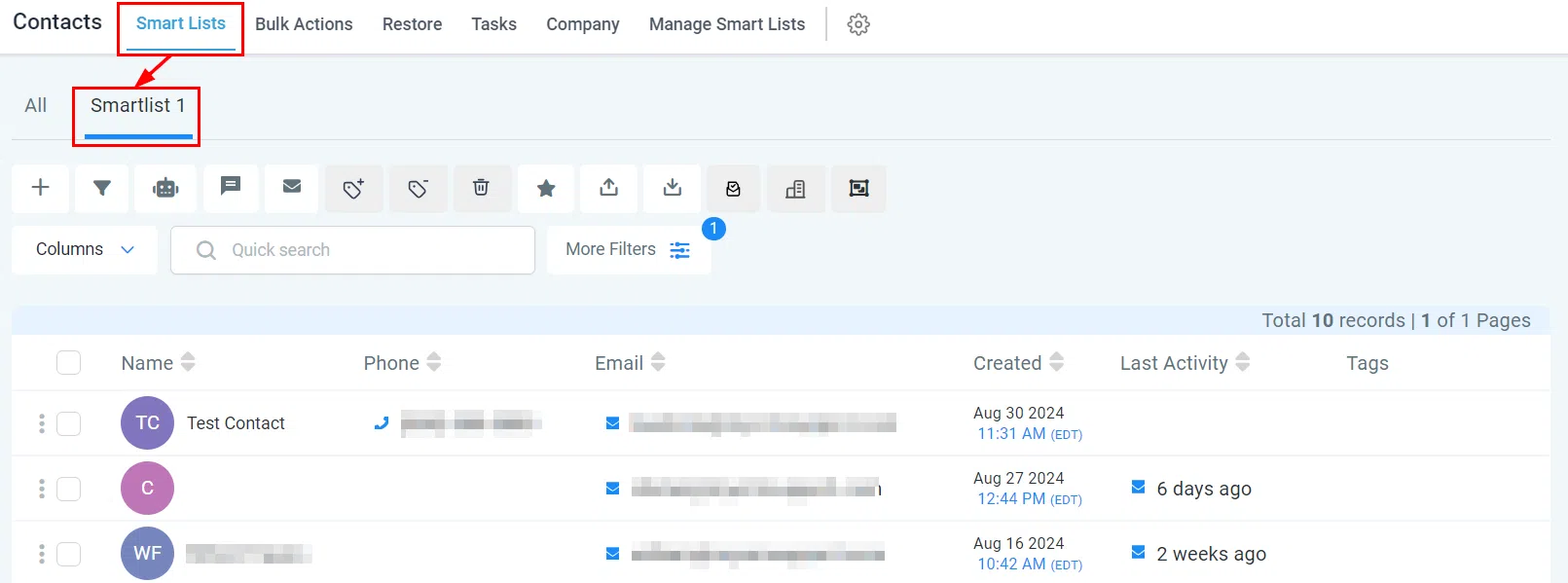
To start editing a Smart List, select the desired list from the upper panel of your contact list. This filters the view to display only contacts that meet the specified criteria.
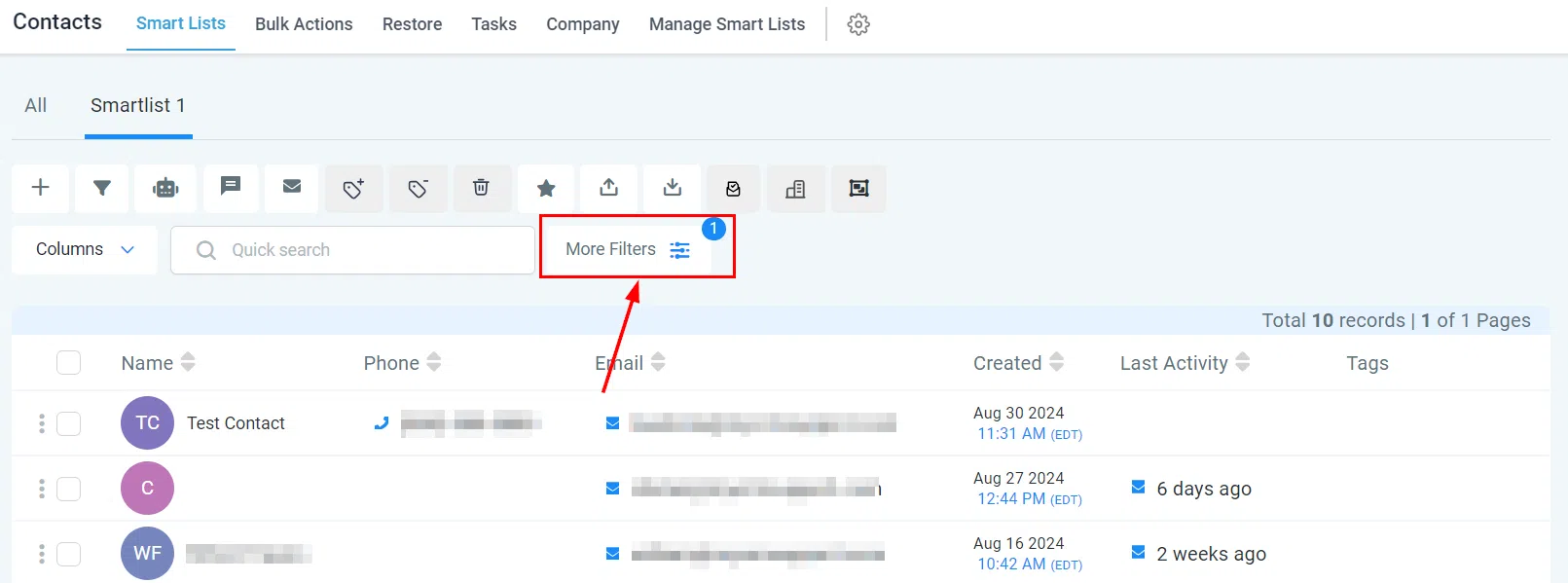
Select More Filters to view the current filters applied to your Smart List.
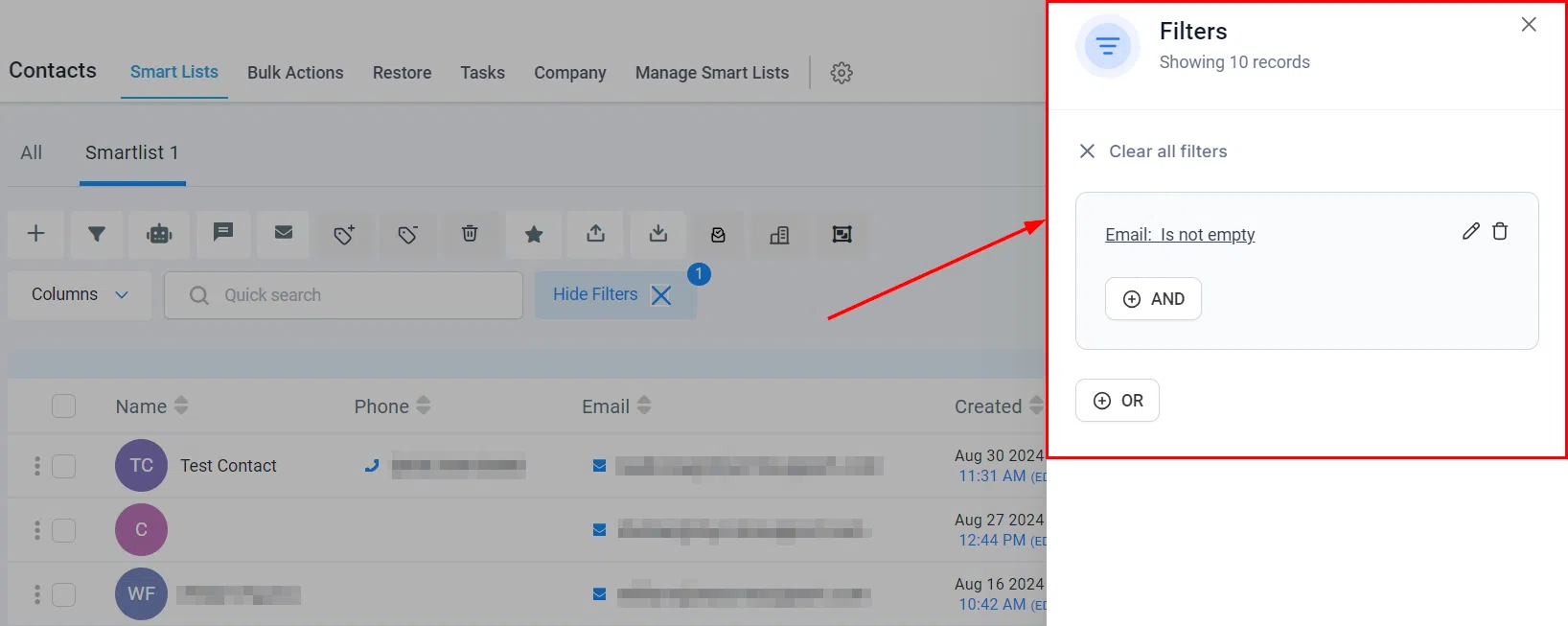
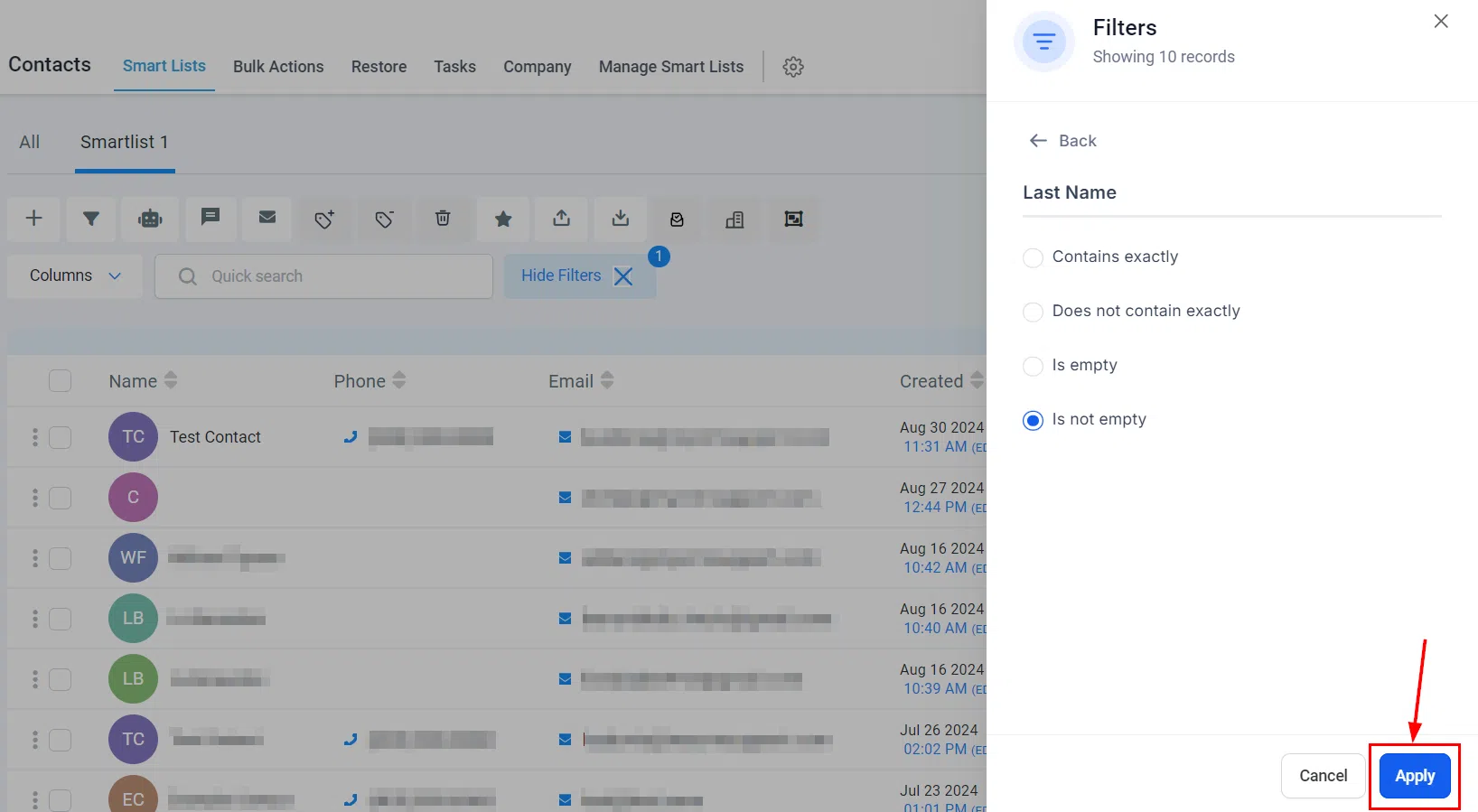
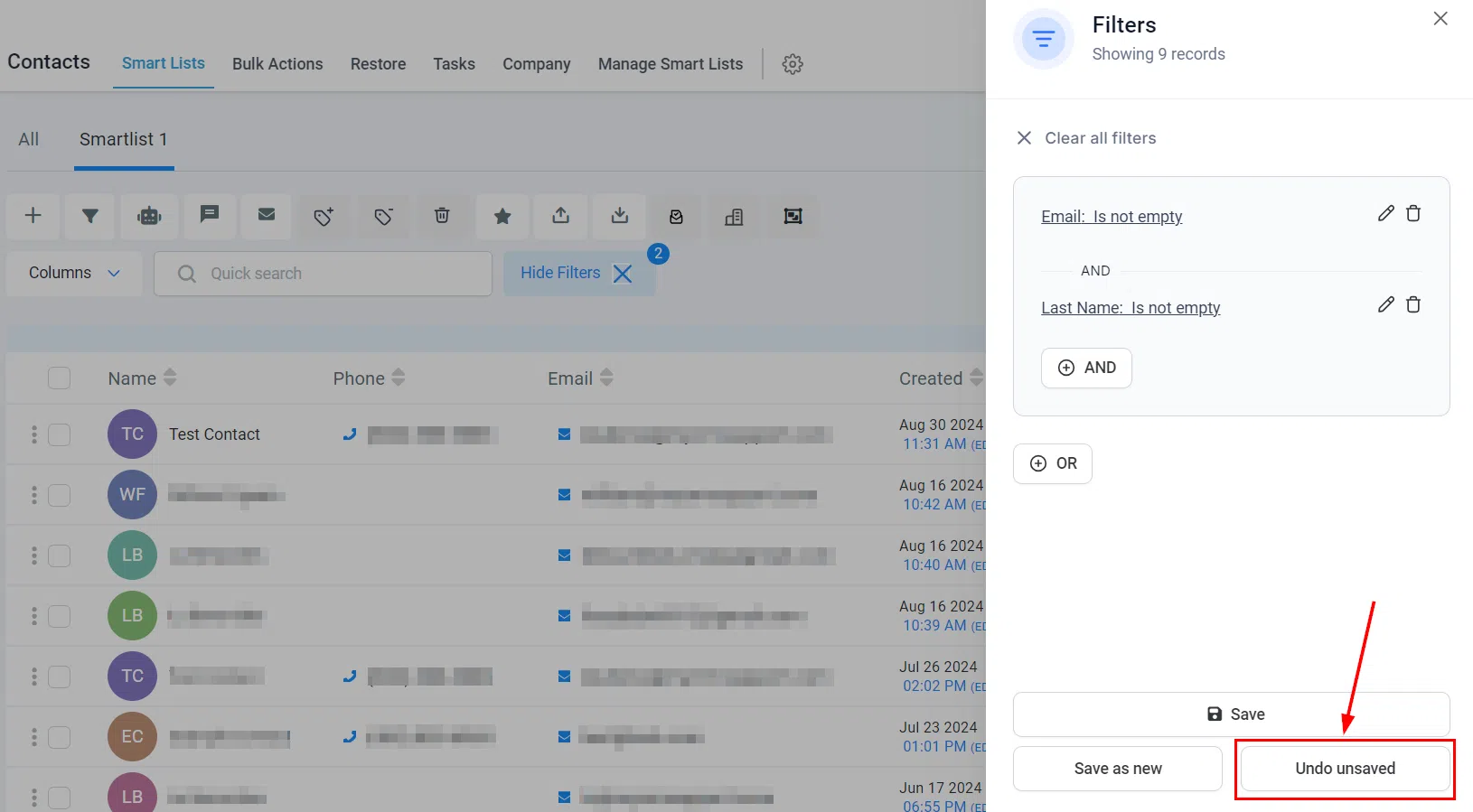
Within the filters modal, you can remove existing filters by clicking Clear All Filters, or use the And / Or operators to add and customise additional filtering options. After selecting the appropriate option, fill in the details and click Apply.
Saving Your Smart List
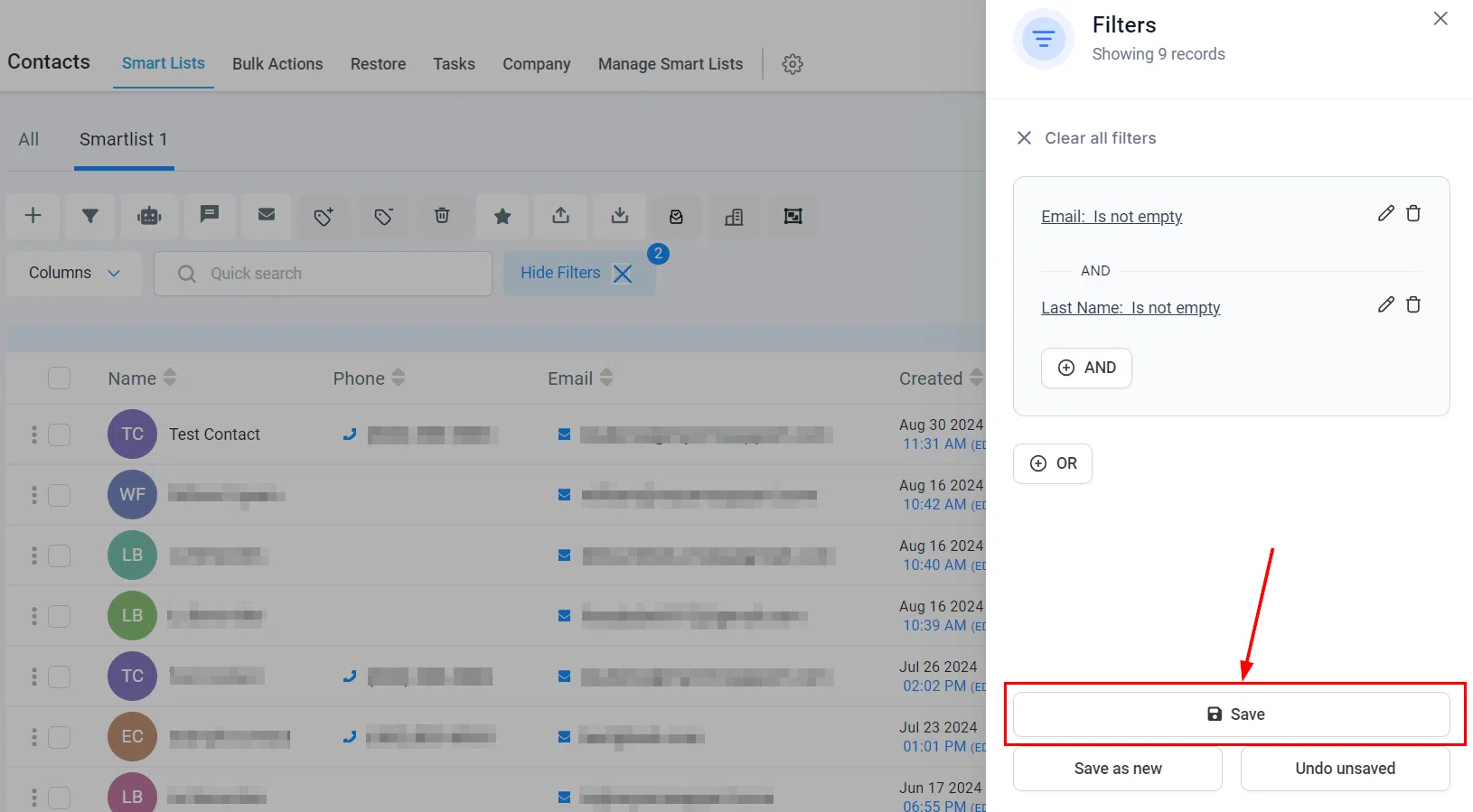
Once all desired filters have been added, click Save at the bottom of the page to retain all changes within the existing Smart List.
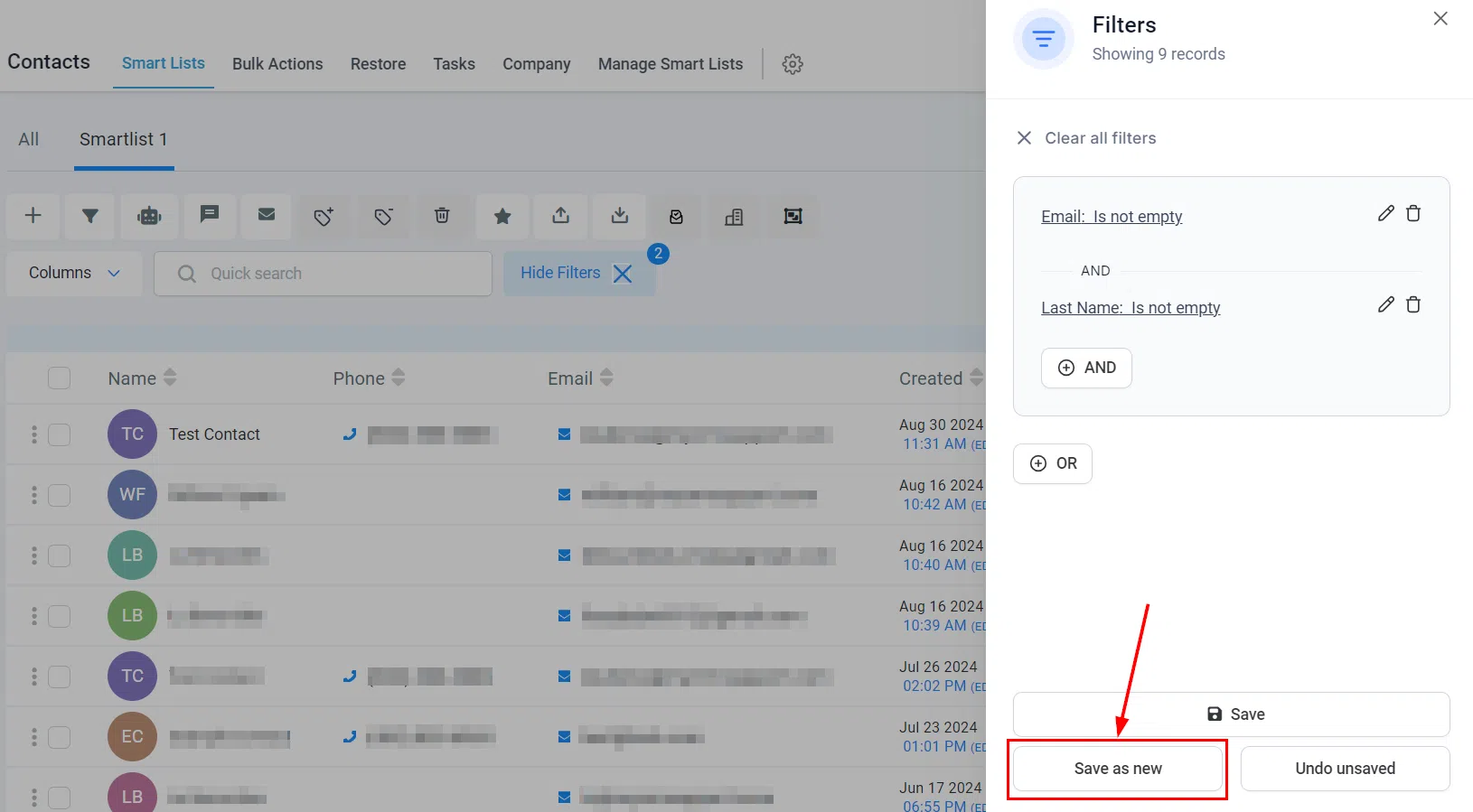
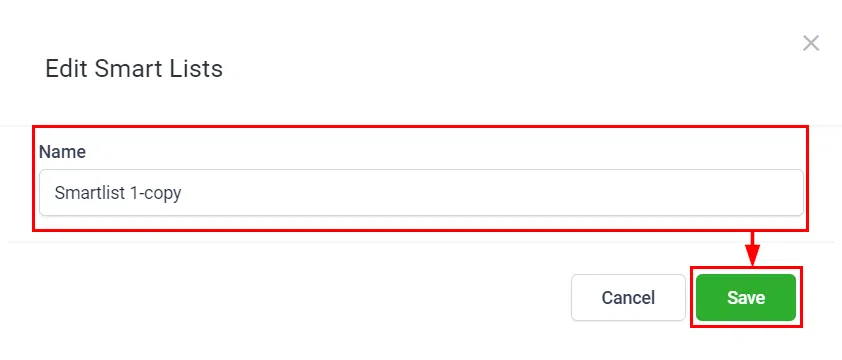
To save your changes as a new Smart List, click Save as New and enter a name for the new list in the popup modal, then confirm by clicking Save.
To discard your adjustments, click Undo Unsaved. This reverts the changes and returns the Smart List to its previous state without retaining any modifications from the current session.
By carefully managing and saving your Smart List filters, you can maintain an organised and effective contact database – ensuring more focused and impactful interactions with your customer base.