Managing stored payment information is a critical aspect of maintaining smooth business operations and secure customer transactions.
The View and Delete Cards on File feature allows businesses to access and control stored payment cards with ease – whether you need to review a customer’s saved cards or remove outdated payment methods.
Accessing Stored Cards
Go to the Contacts tab and locate the specific contact whose card information you wish to view. Within the contact’s details, click the $ icon, select Actions, then choose Manage Cards.
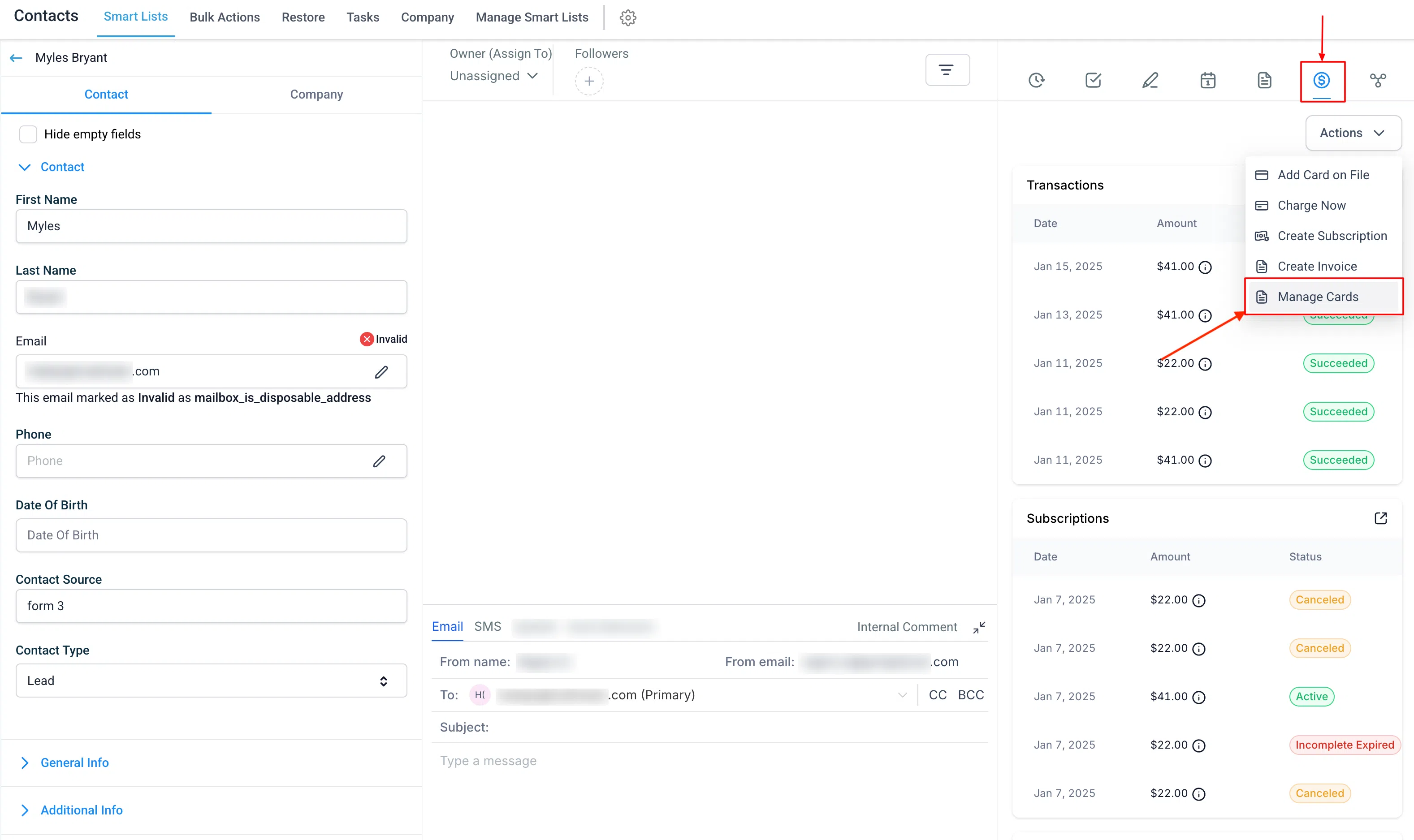
The Manage Cards section displays all stored cards associated with the customer – including those saved through the card on file feature or previously used for transactions.
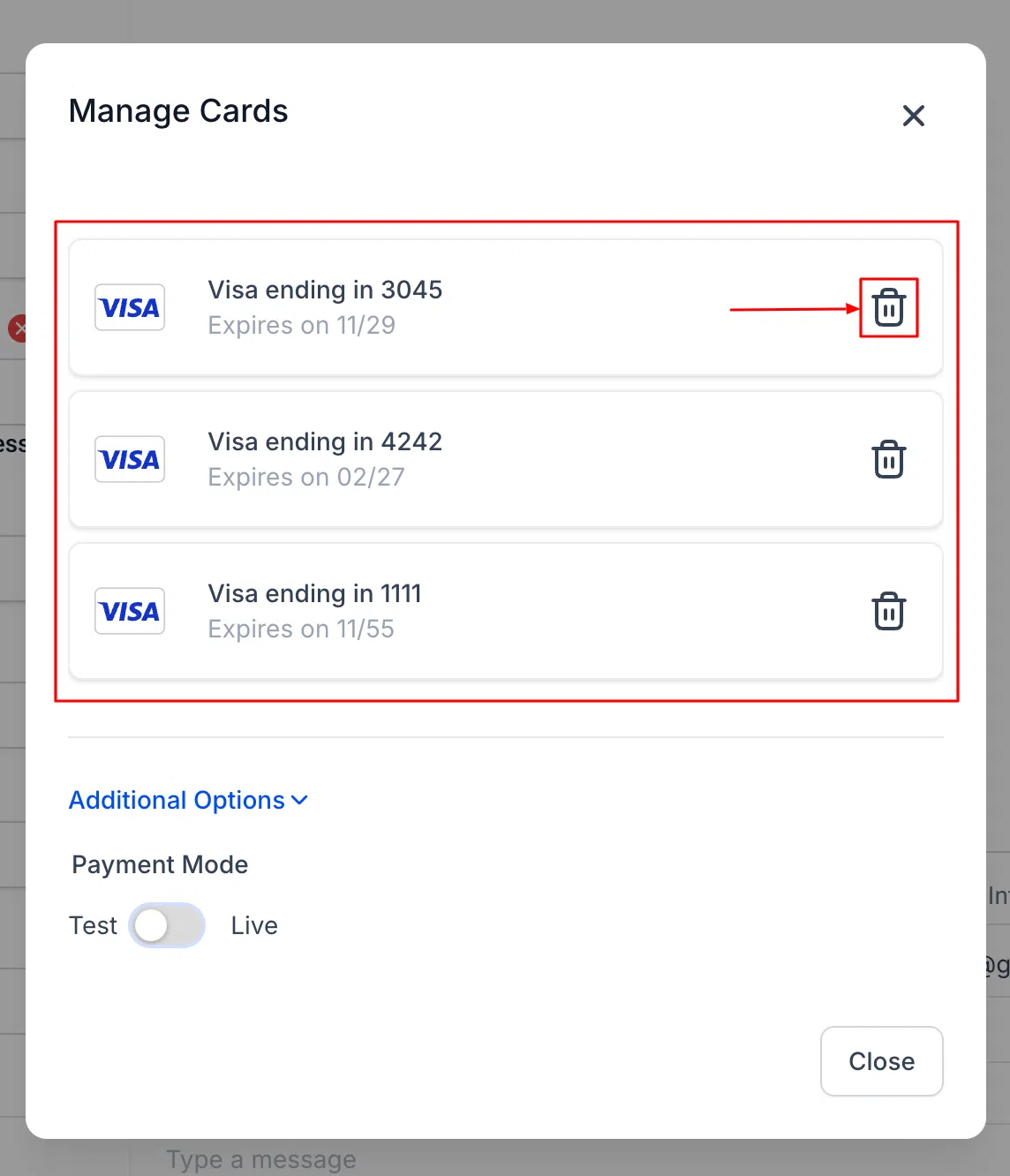
Deleting Cards
Click the trash icon next to any card to delete it.
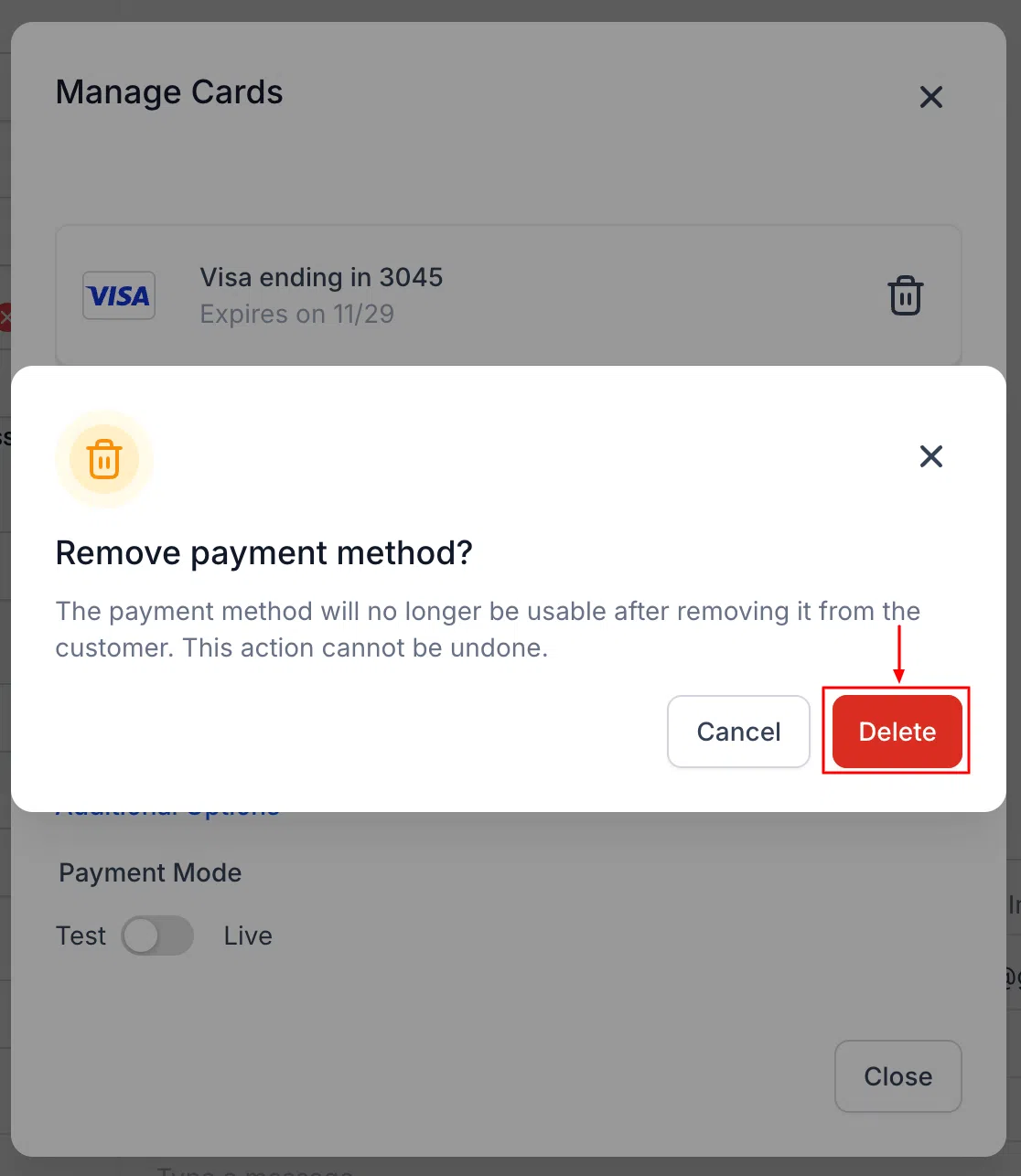
- Cards not linked to a subscription: A simple confirmation pop-up will appear before the deletion is finalised.
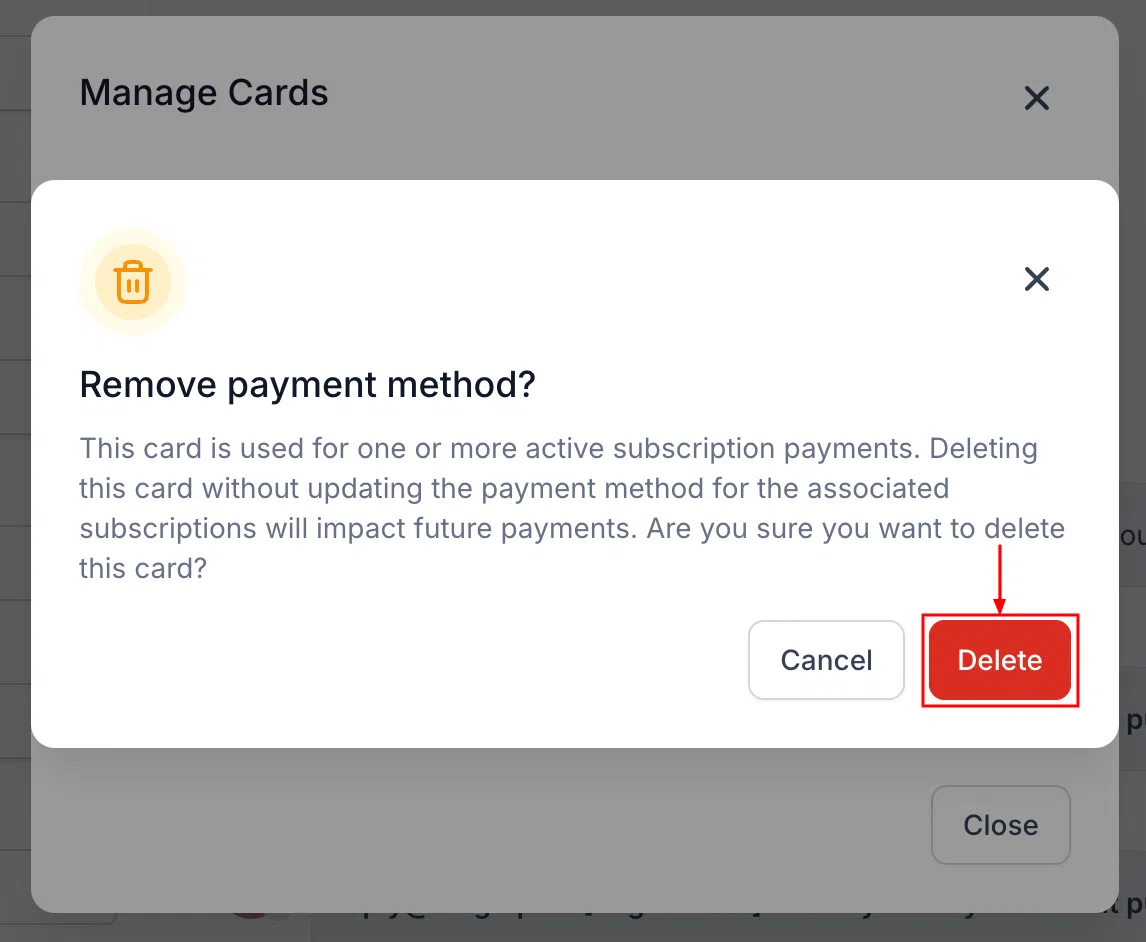
- Cards linked to an active subscription: Deletion is permitted, but an additional warning will appear alerting you about the active subscription before you confirm.
By enabling easy access to stored cards and offering control over deletions, this feature helps businesses maintain accurate payment records and enhance customer service.