Growth360 lets you organise products into collections, display sale prices with the Compare At feature, manage stock levels through Inventory Management, and deliver digital products directly to customers.
Product Collections
Product Collections let you group similar products into categories, making it easier for customers to browse your store and helping you cross-sell and upsell related items.

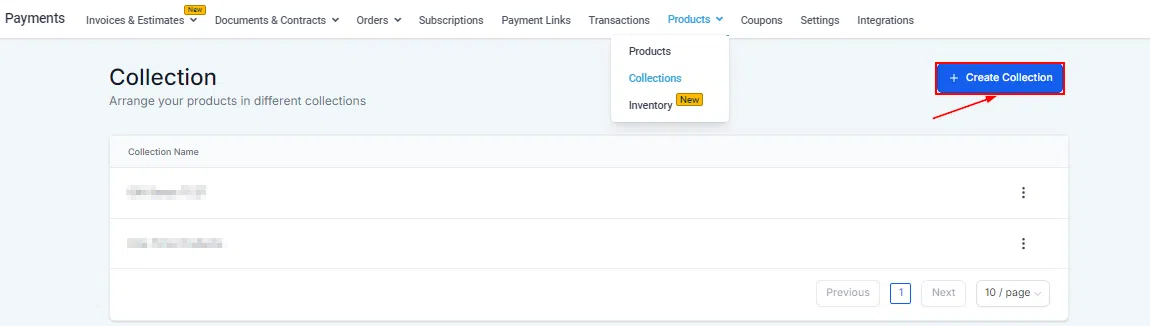
Creating a Collection
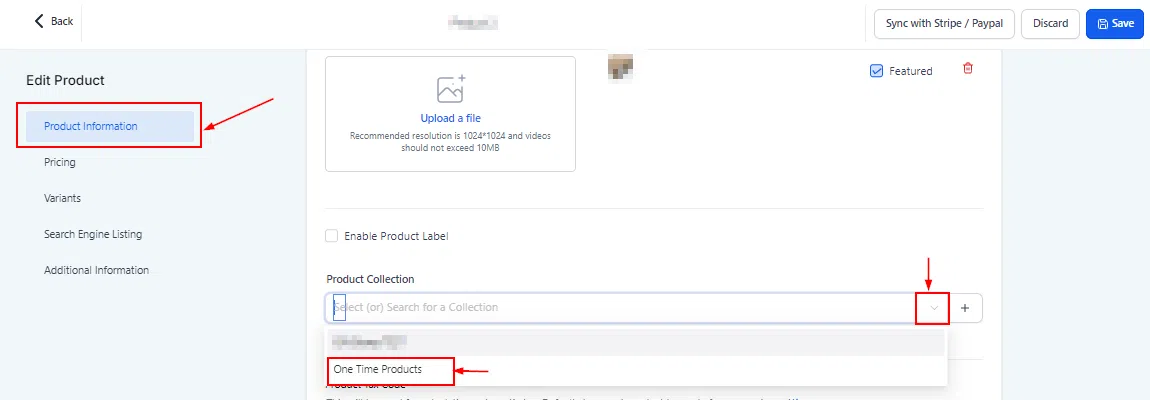
Go to Payments > Products > Collections and click Create Collection in the top right. Add a name and image for the collection. Click Additional Options to add SEO information, then click Add to save.
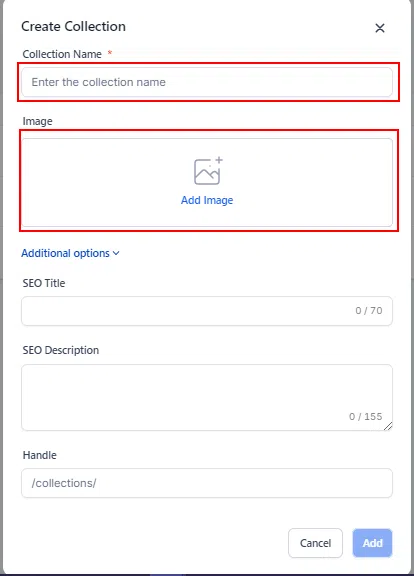
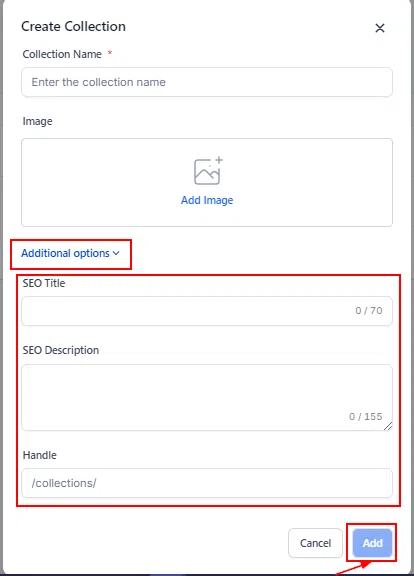
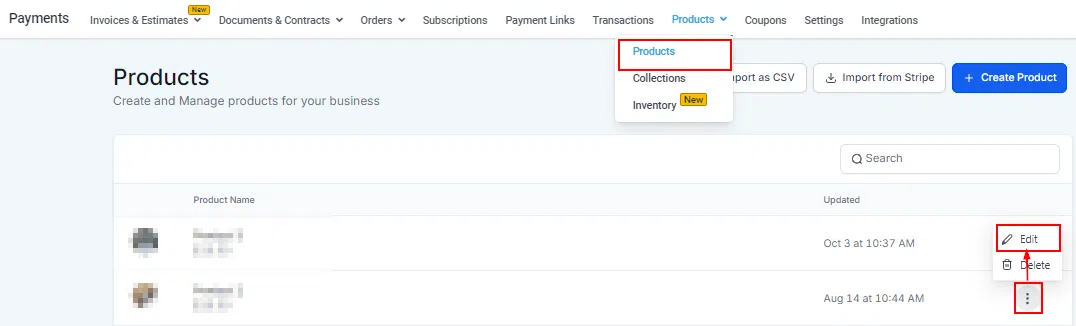
Adding Products to a Collection
Click the three dots icon next to any product and select Edit. In the product details, scroll to Product Information and select the collection from the dropdown. Save the product to assign it.


Compare At Pricing
The Compare At feature lets you show both the original and discounted prices side-by-side on your store, highlighting the saving to customers and making your deals more compelling.
Setting a Compare At Price
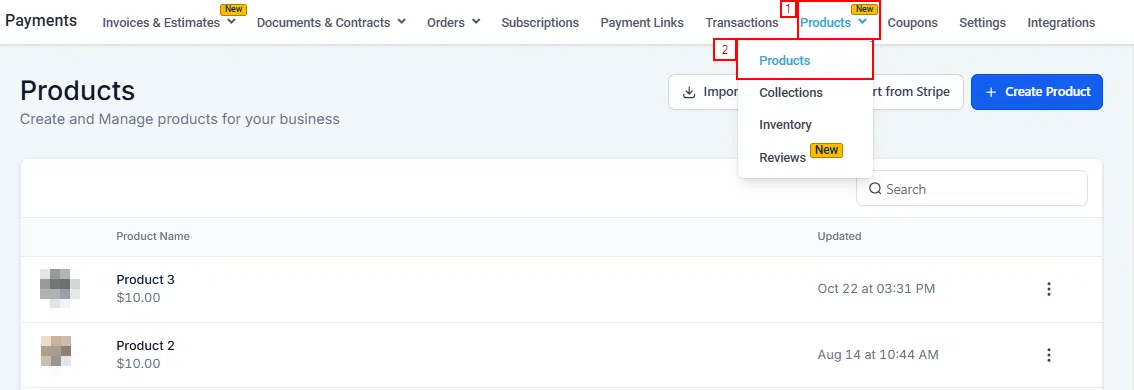
When creating or editing a product, enter a value in the Compare At price field. This value must be higher than the selling price – the system will prompt you to adjust if it isn’t. The discount is automatically displayed to customers.

Inventory Management
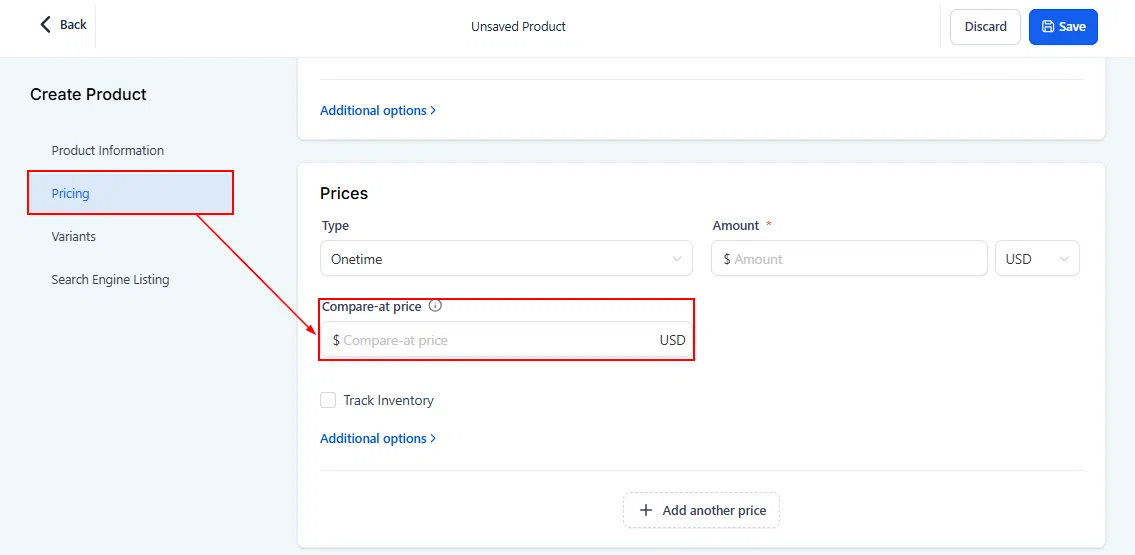
The Inventory Management page gives you a centralised view of stock levels across all product variants, with tools to update quantities and control selling behaviour when stock runs out.

Searching Inventory
Use the search bar to find products by SKU or product/variant name. Products without a SKU show as “NO SKU”.


Updating Stock Quantities
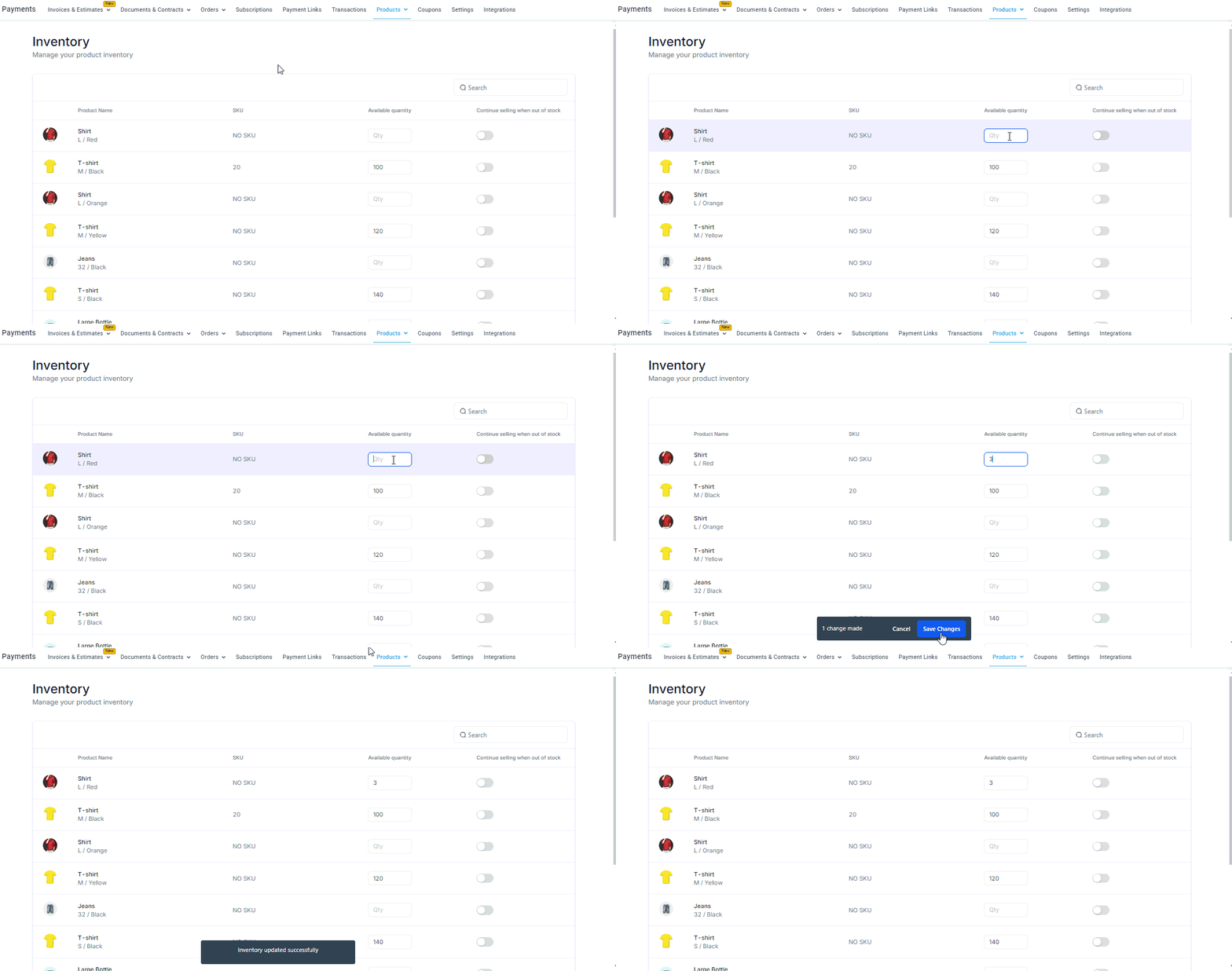
Click into the quantity field for any product variant to update the available stock. Make sure to save or cancel before navigating away – unsaved changes will block page navigation.

Continue Selling When Out of Stock
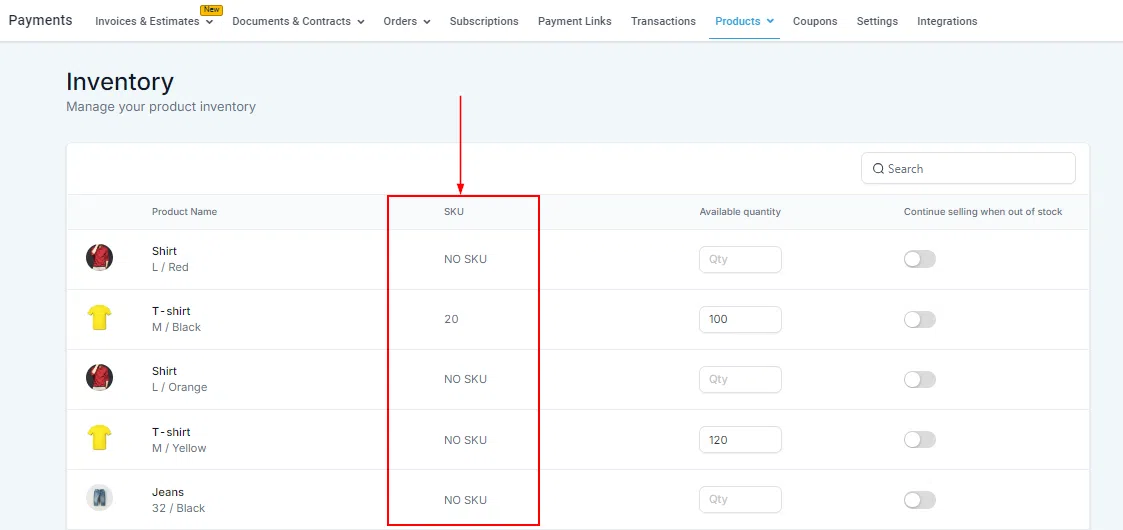
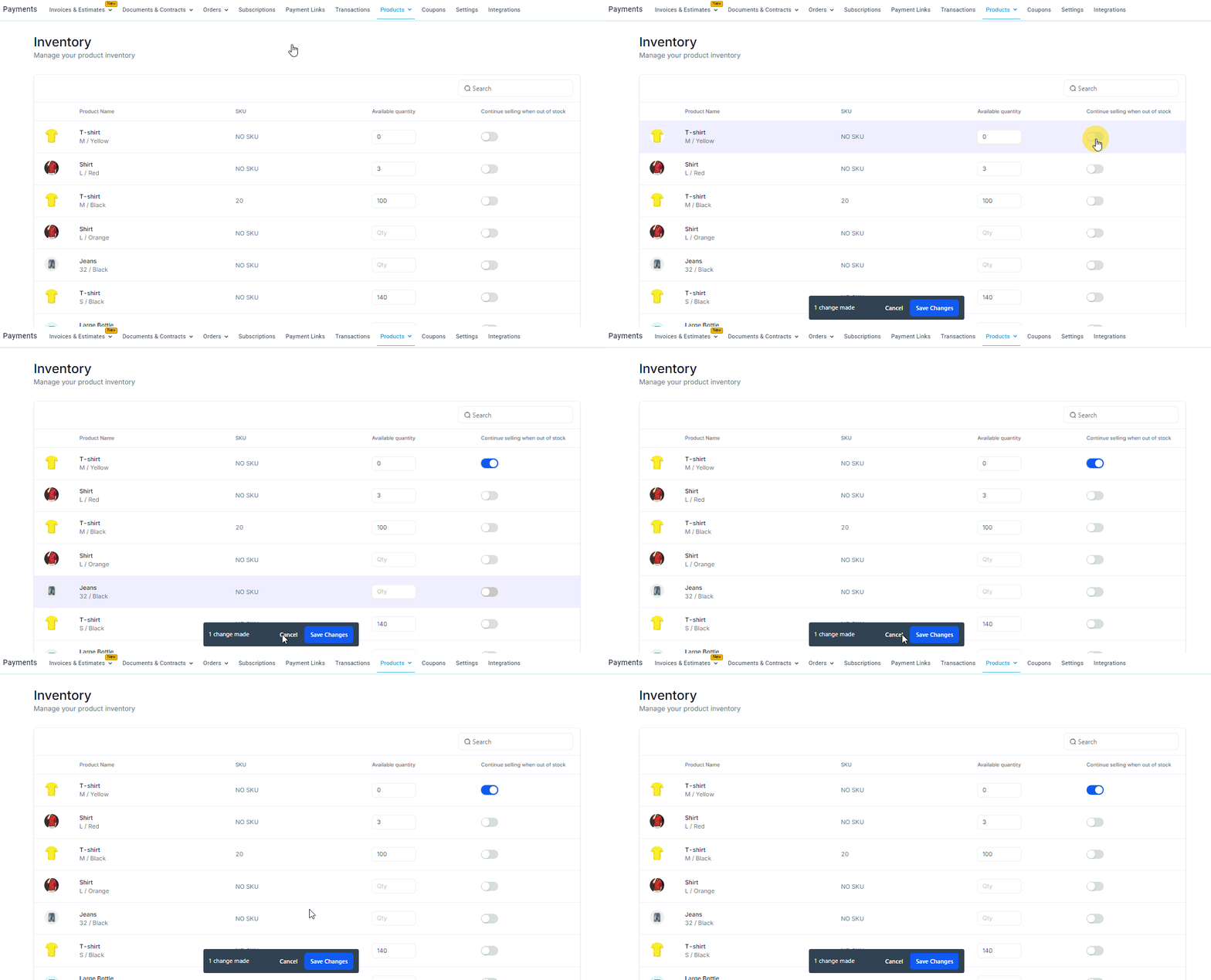
Toggle Continue selling when out of stock on for any product if you want customers to still be able to purchase even when inventory reaches zero.

Digital Products
Digital products are intangible goods delivered electronically – such as ebooks, audio files, or digital art. They require no physical inventory and can be distributed to customers automatically after purchase.
Important: Digital product delivery is only available for orders through e-commerce stores, so you must enable the Include in Store option in the product settings.

Setting Up a Digital Product
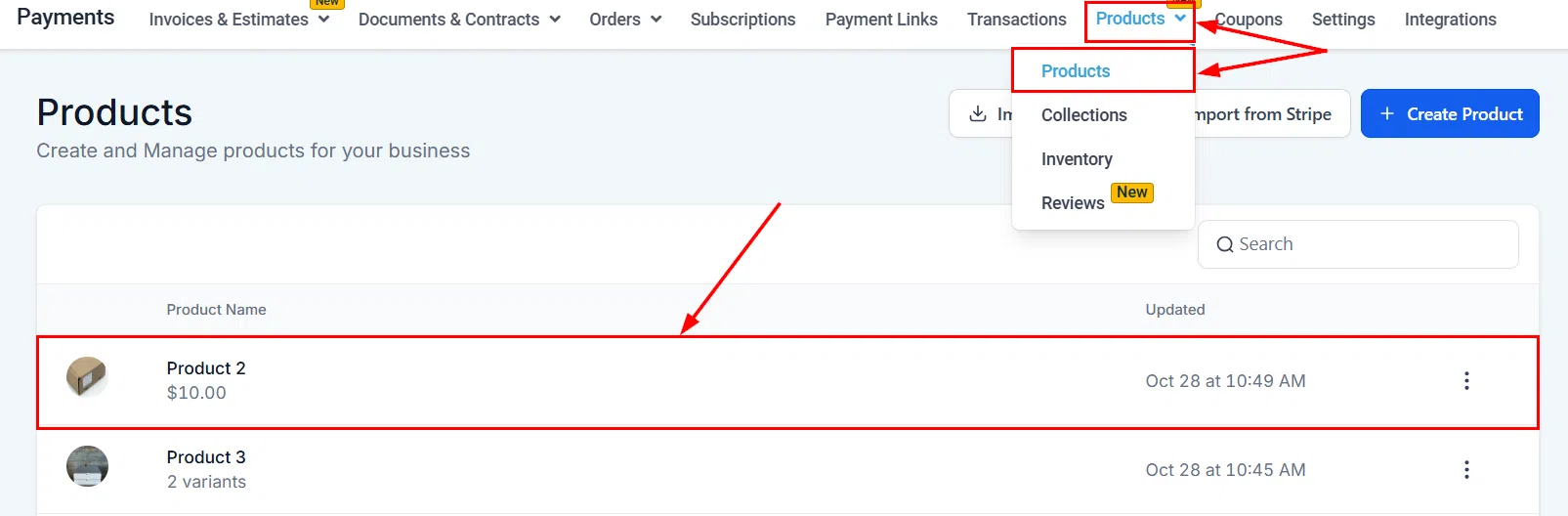
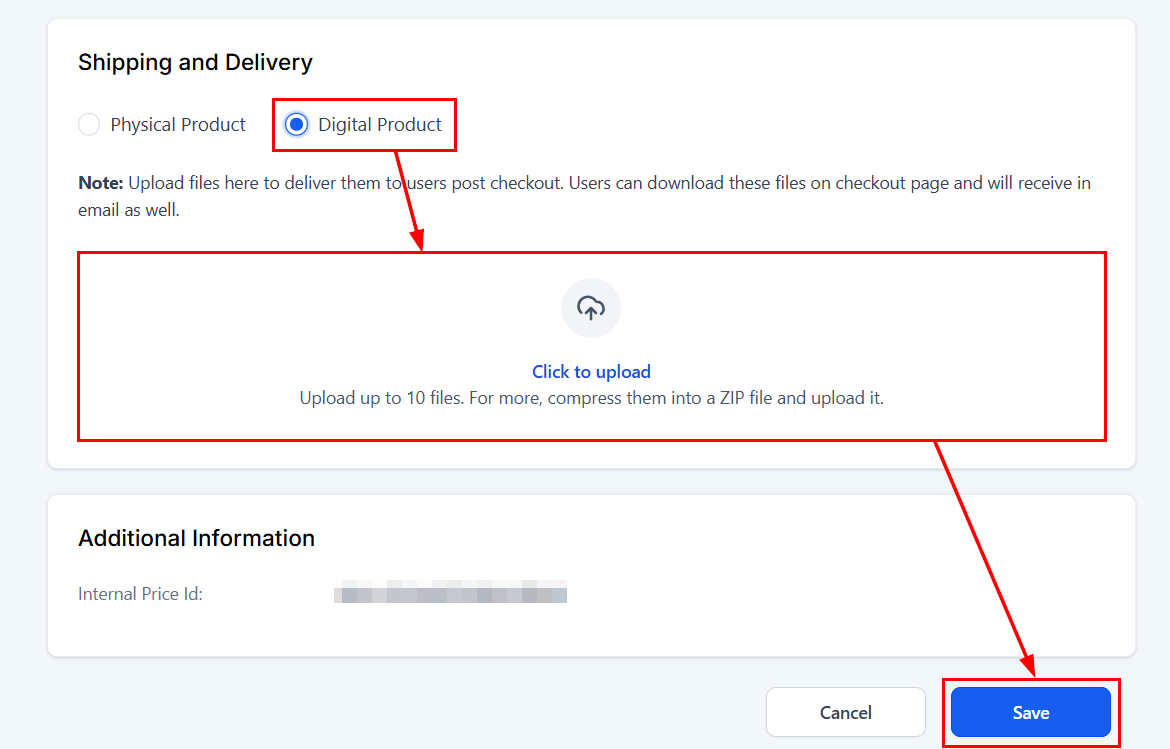
Create or edit a product and ensure Include in Store is enabled. Add a price name if you have multiple pricing options, then toggle on Digital Product in the product type section.
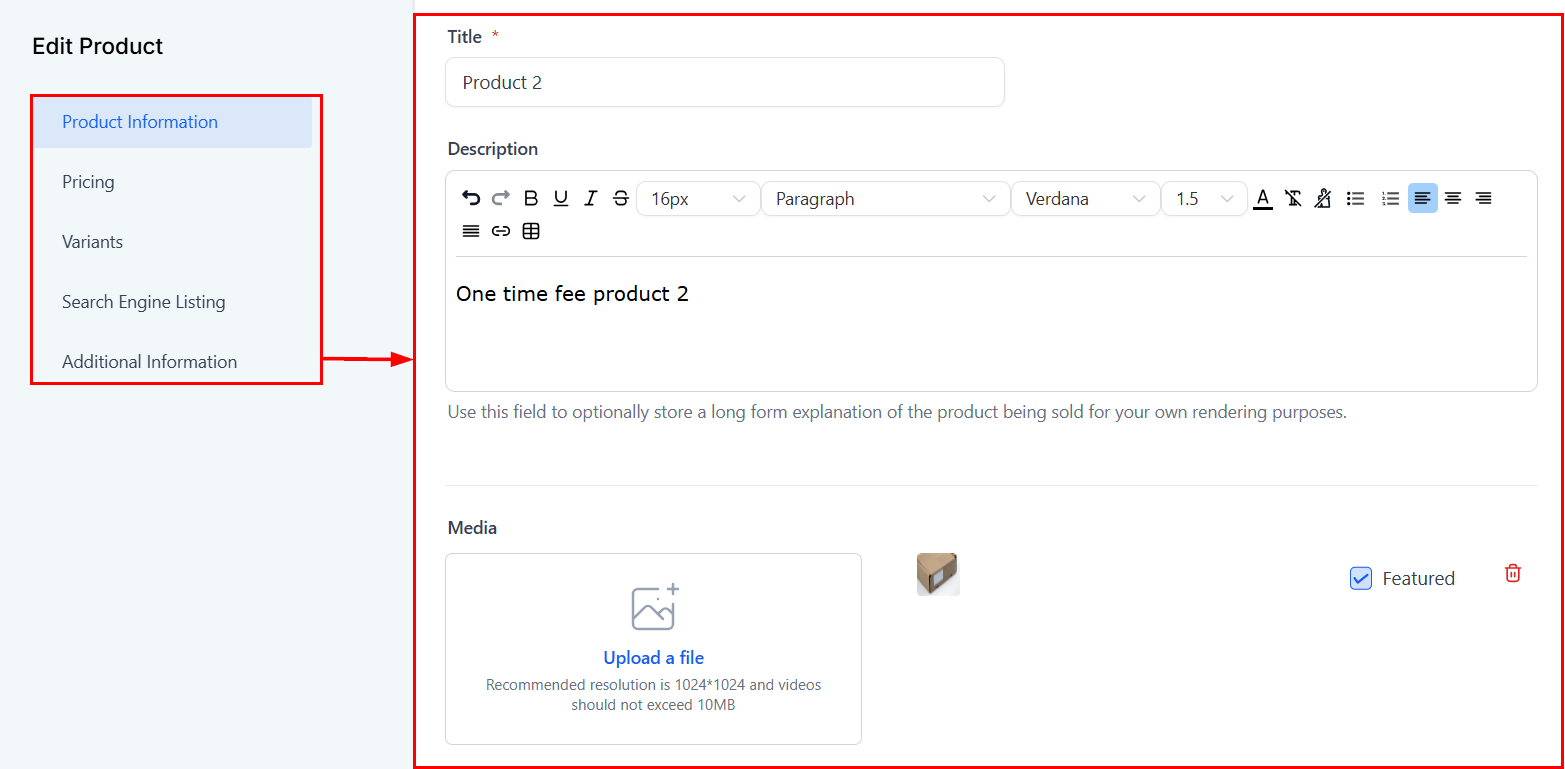
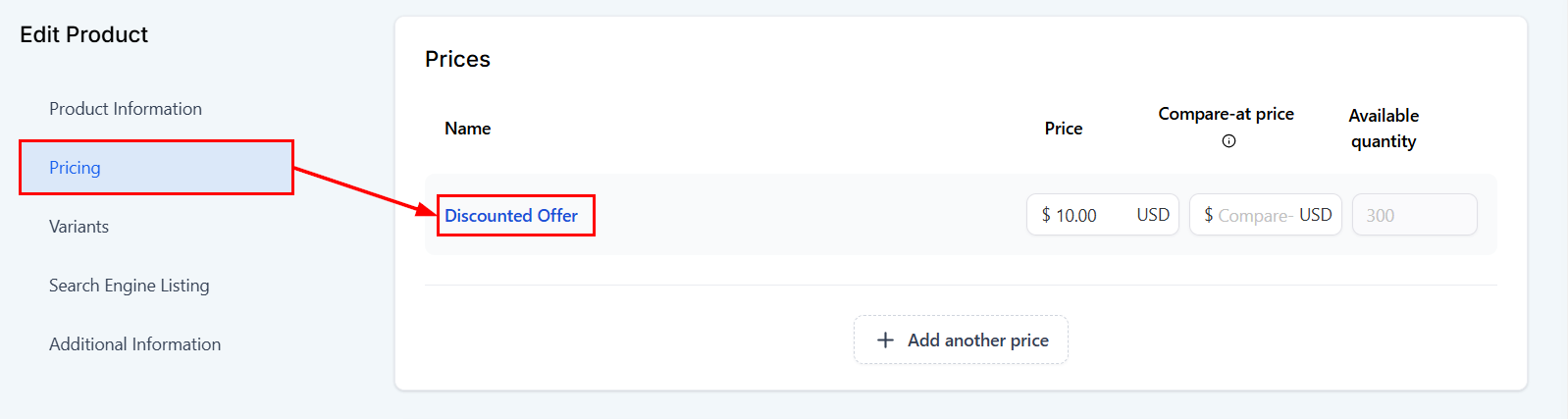
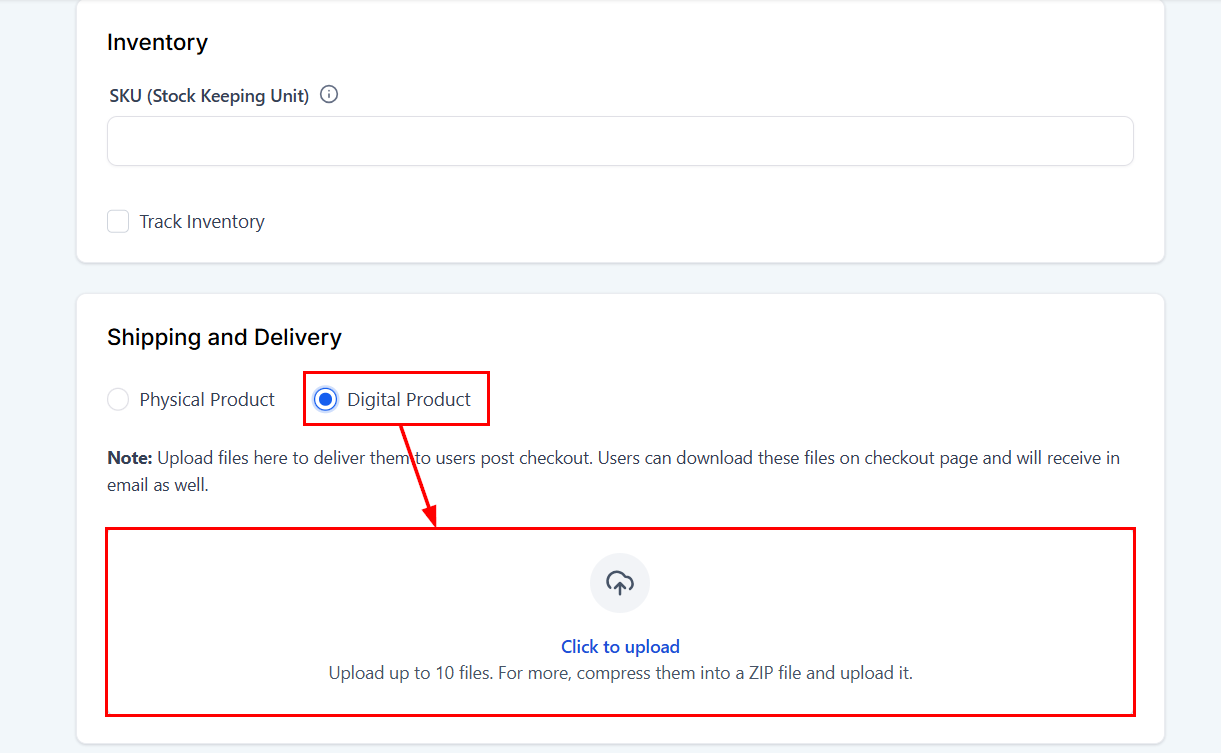
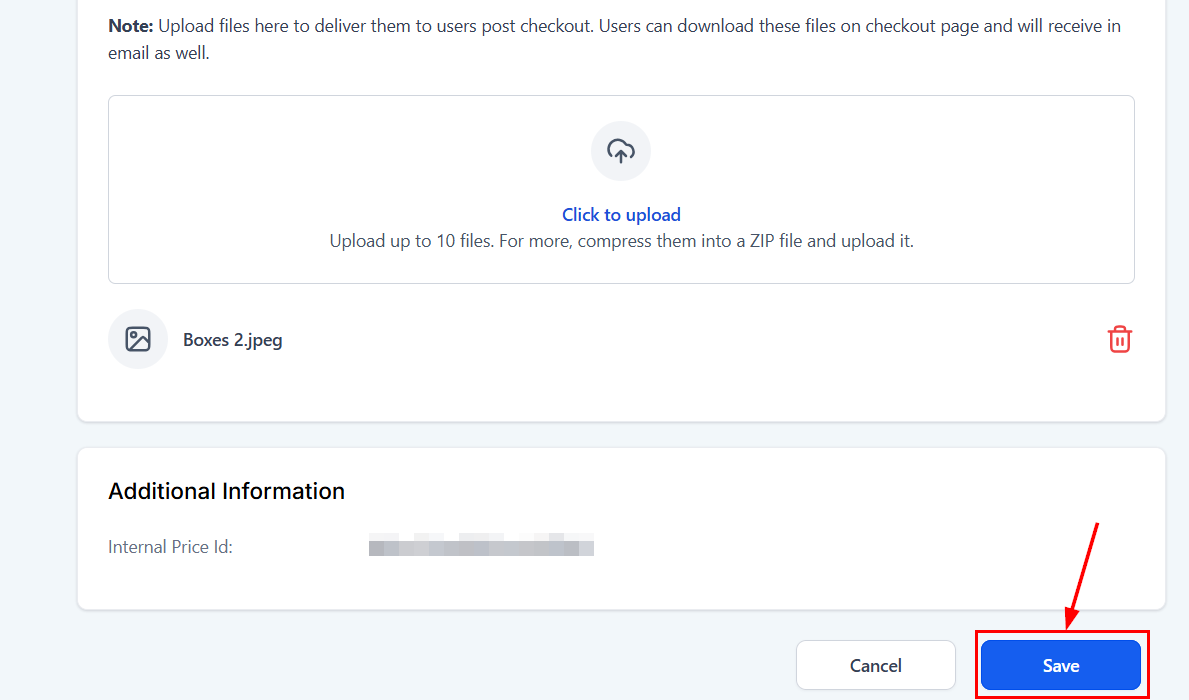
Upload the digital file(s) for delivery. You can upload up to 10 files with a maximum of 100 MB each. Supported formats include images, audio, video, documents, and ZIP files.
Variants and Notifications
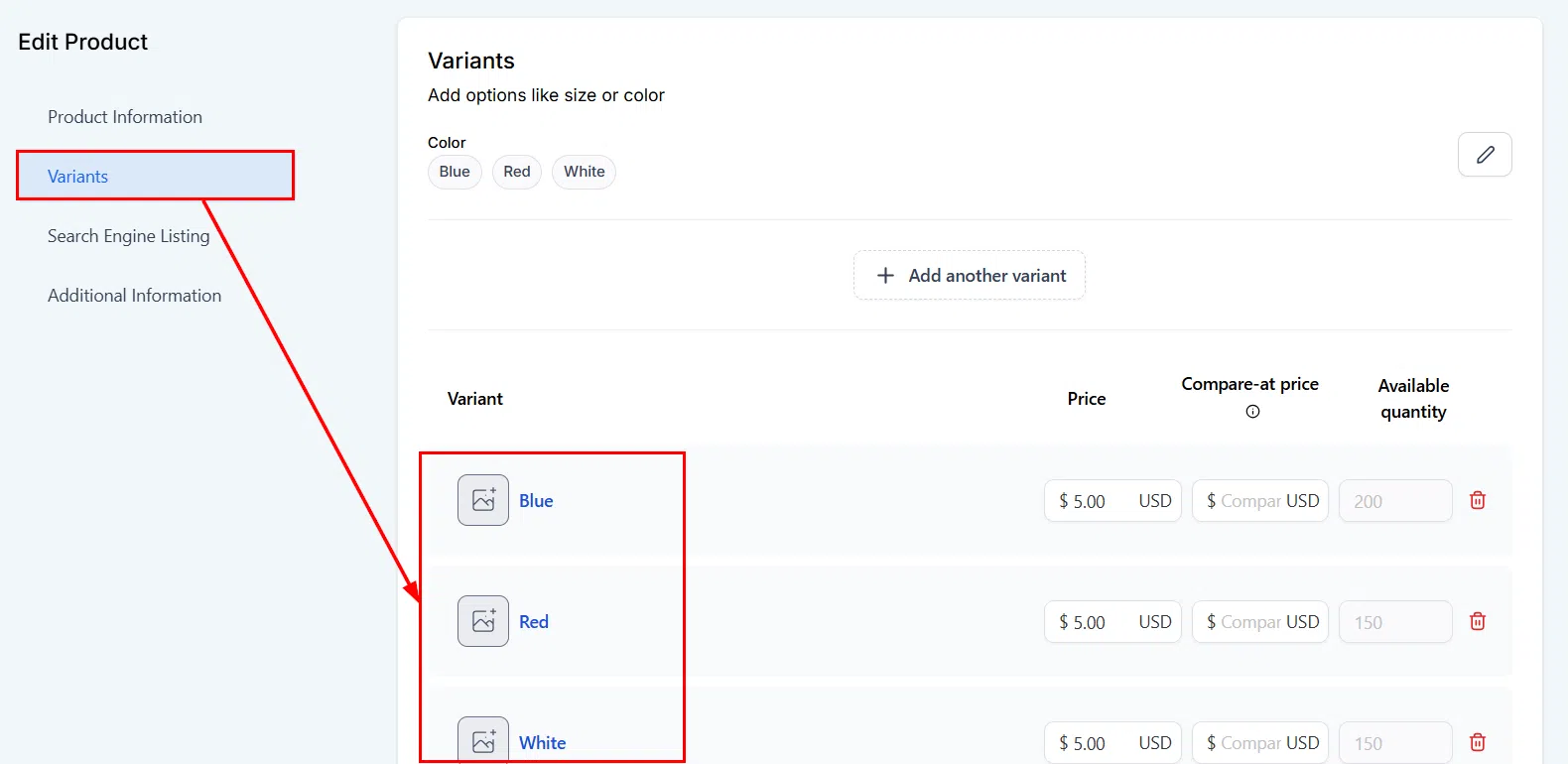
You can offer both physical and digital variants of the same product. For example, a book could have Ebook, Audiobook, and Physical Book variants, each with separate file delivery.
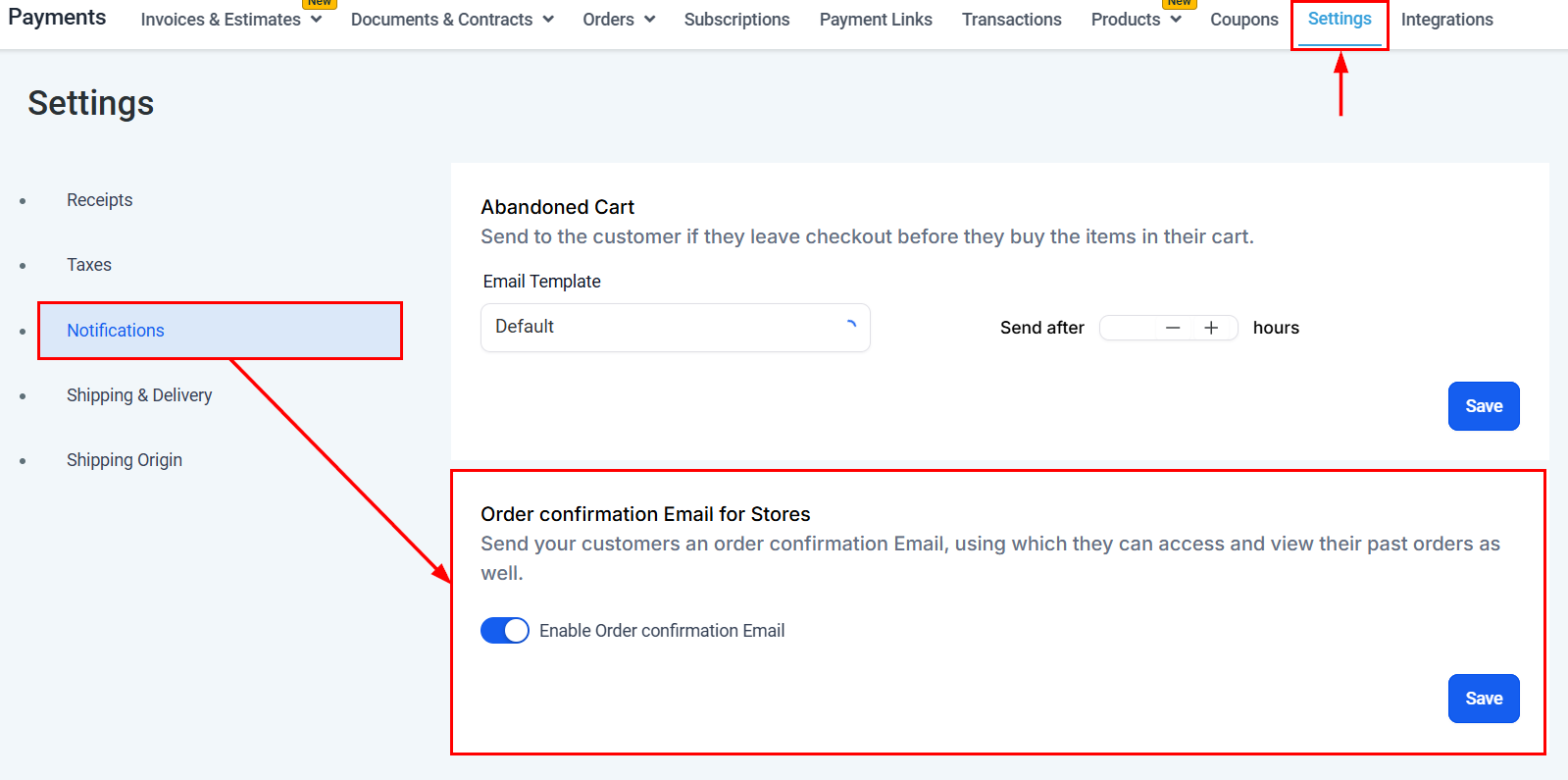
Customers receive a delivery notification email with a link to access their digital files. Ensure your notification settings are configured so customers can retrieve their purchases promptly.