The Conversations section in Growth360 is your central hub for managing all communication with leads, clients, and prospects.
Every inbound and outbound message – calls, SMS, and emails – flows through here. If you have social media integrations set up (Facebook, WhatsApp, or Google Business Profile), those conversations appear here too, so everything is in one place.
Note: Access to certain features within Conversations may vary based on your user permissions.
Conversation Type
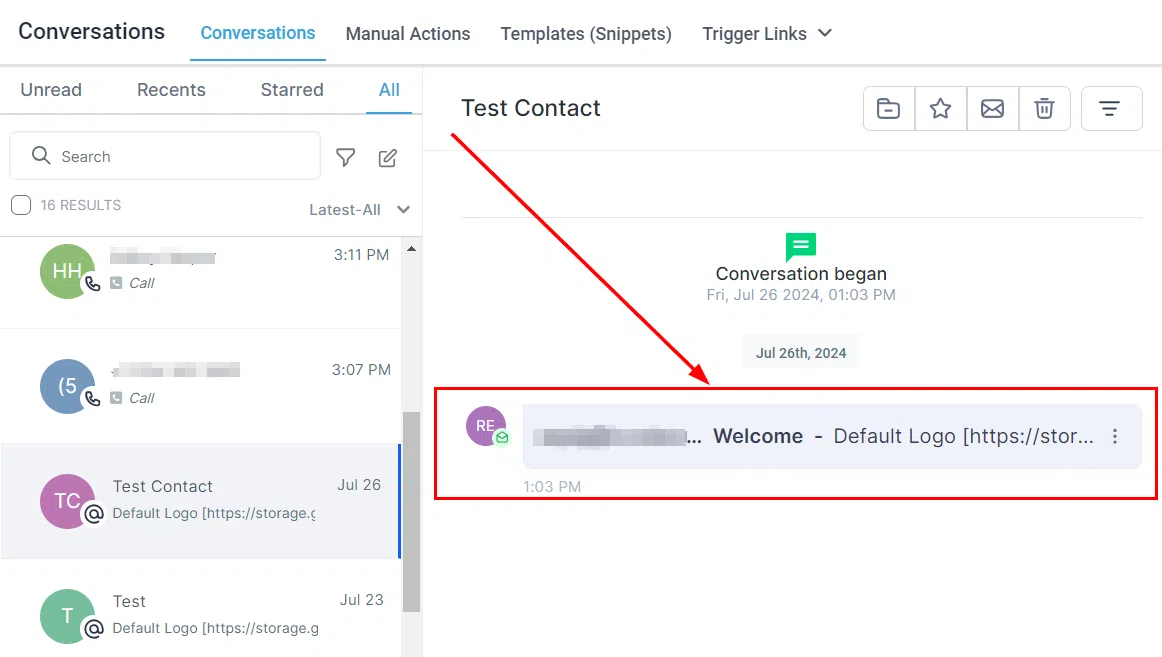
Use the filter bar at the top left to choose which conversations you want to see. The options are:
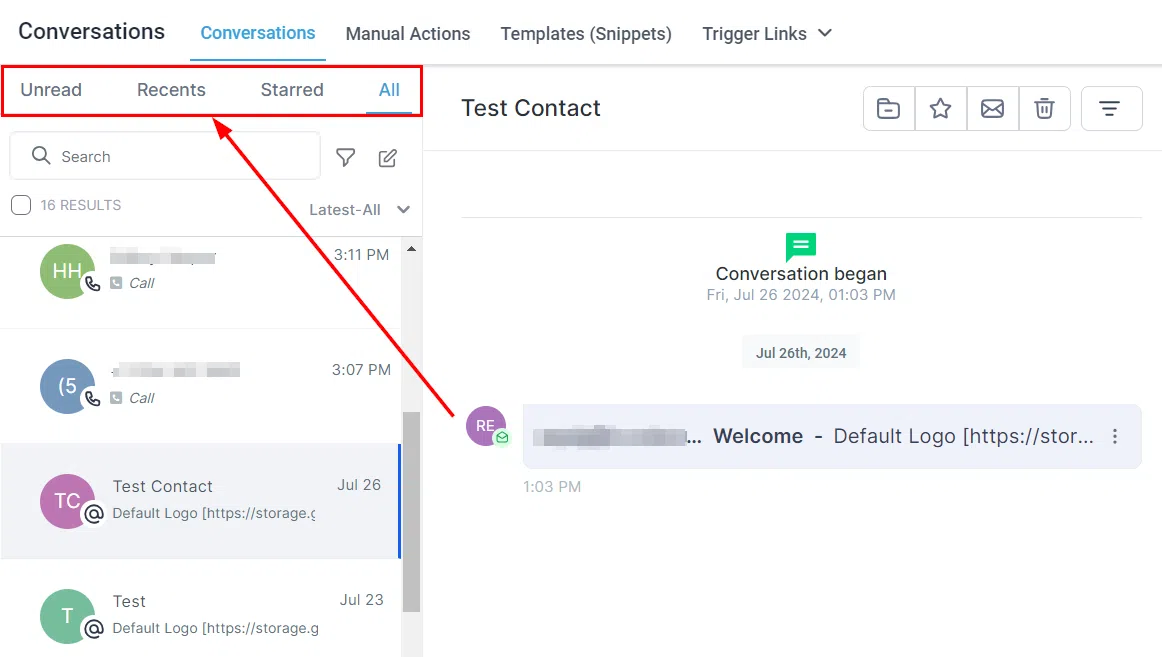
- Unread: Incoming and manually marked unread messages that still need attention.
- Recent: Your most recent interactions, so nothing falls through the cracks.
- Starred: Conversations you’ve flagged as important.
- All: Every conversation in one list. Scroll through or use the search bar to find a specific contact.
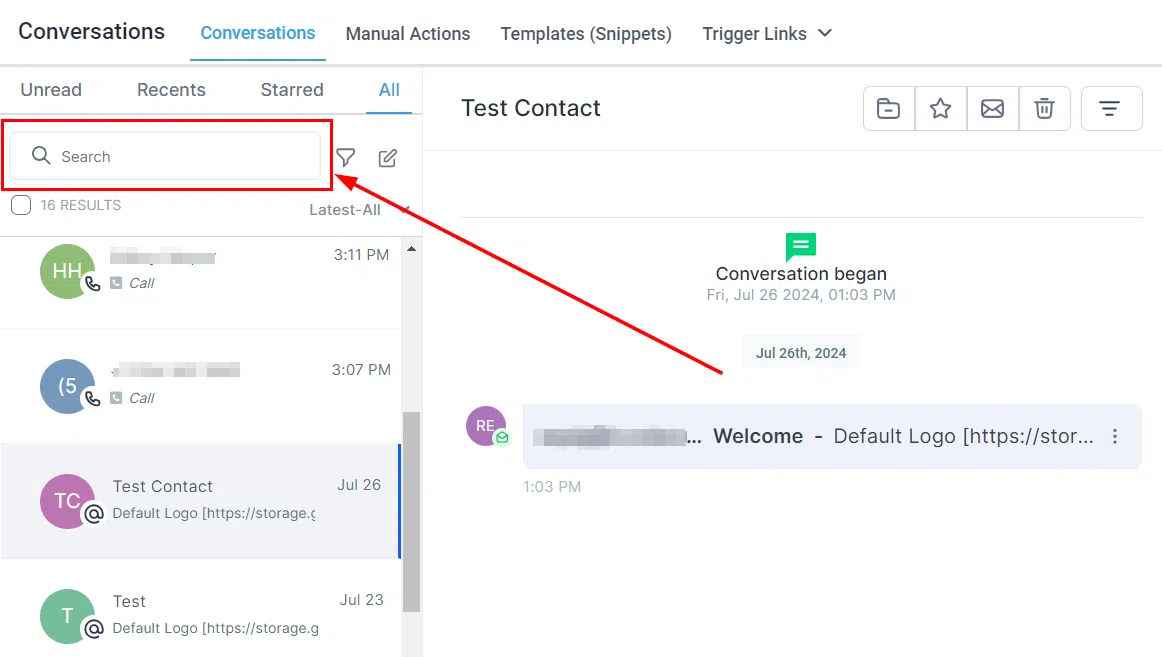
Search Bar
Type a name, email address, or phone number into the search bar to find a specific conversation quickly.
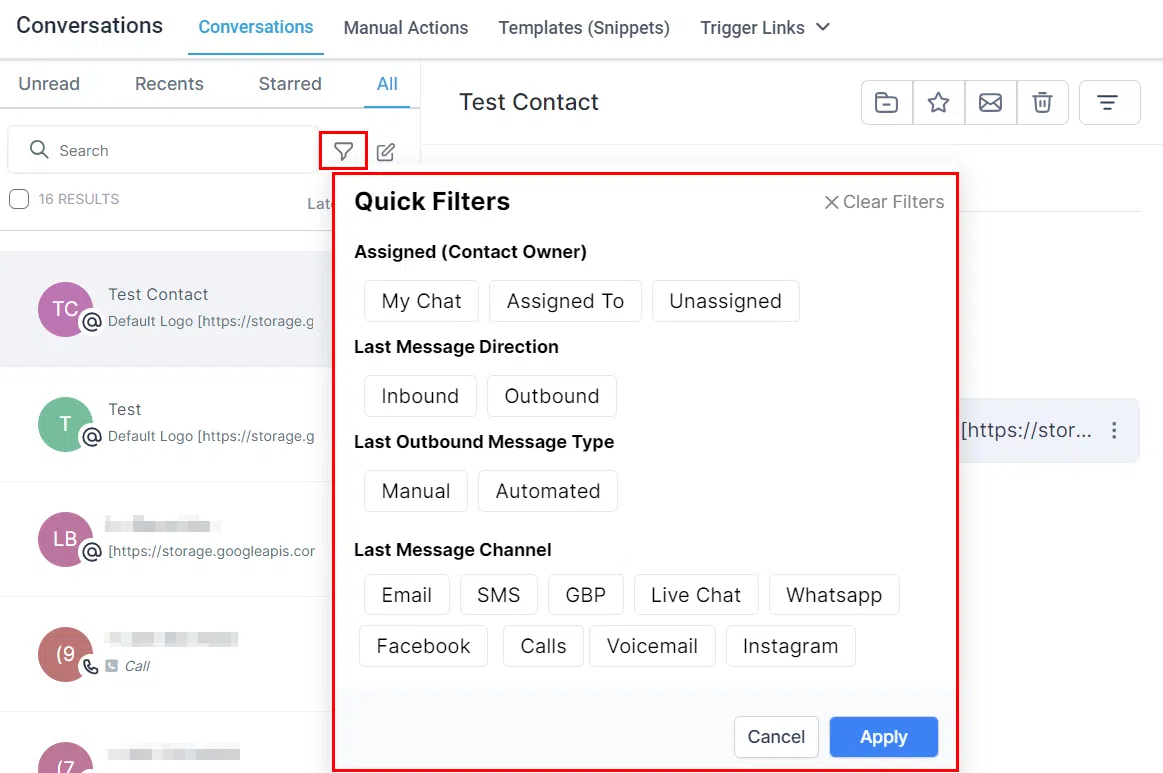
Filters
Apply a quick filter to focus on conversations by type or channel – handy when you need to prioritise a particular kind of message or work through a specific queue.
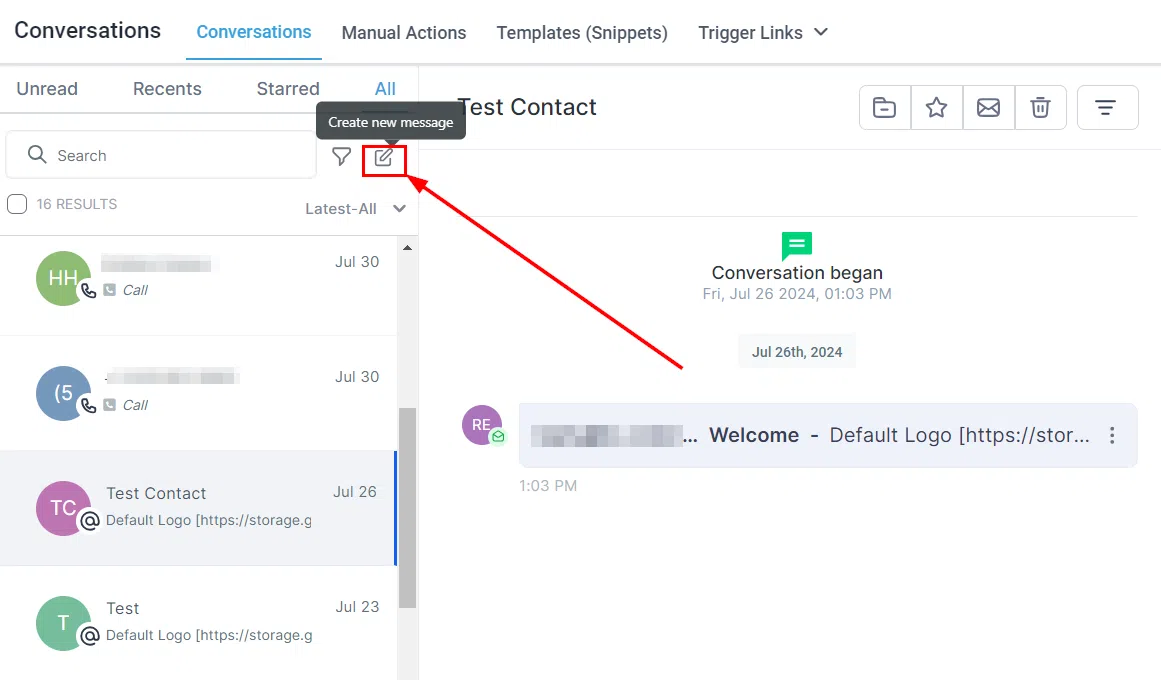
Create a New Message
Reach out to an existing contact directly from Conversations. You can send an SMS, email, or message via any integrated channel – useful for follow-ups, reminders, or kicking off a new conversation.
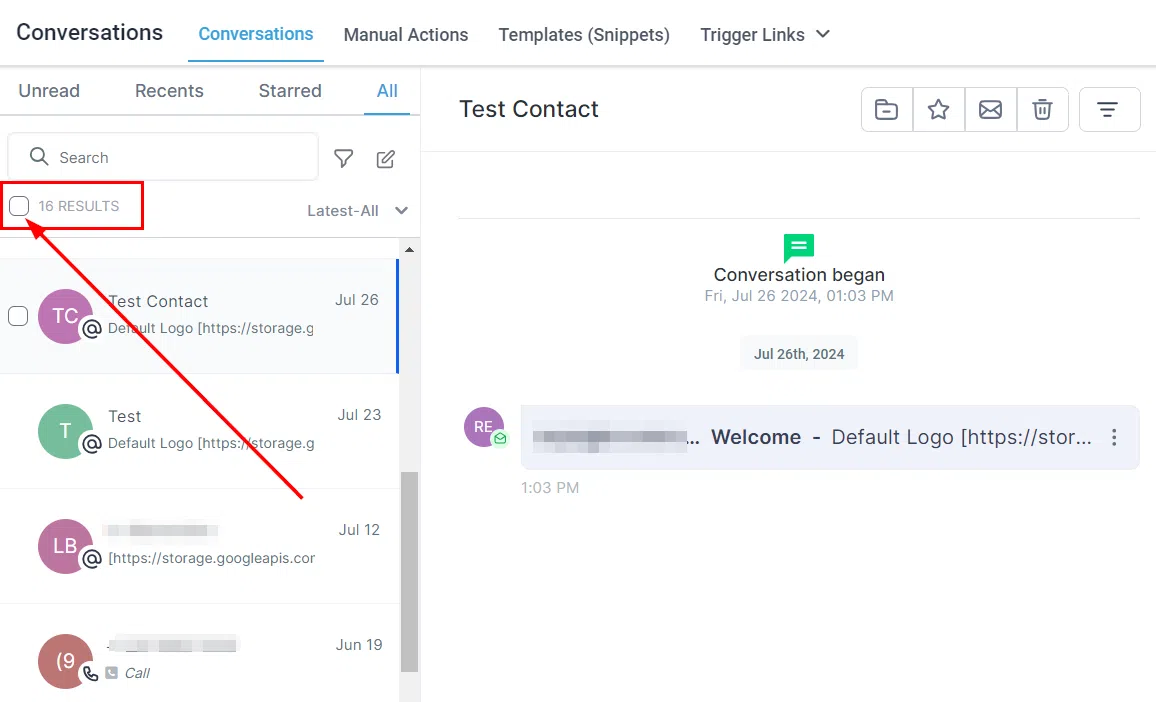
Bulk Actions
Select all conversations using the checkbox, then apply an action across the whole selection at once – mark as read or unread, star, unstar, or delete. Much faster than handling each conversation individually.
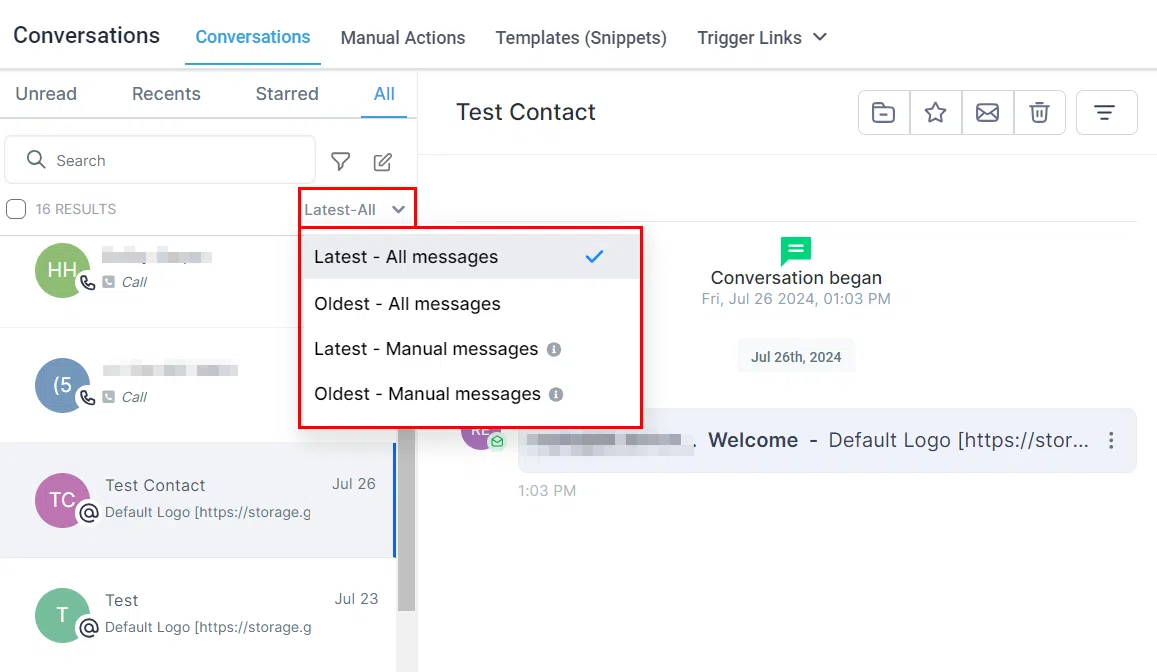
Sorting
Use the sort feature to control how conversations are ordered in your list – for example, by most recent activity or unread status.
Conversation Header
When you open a conversation, the header at the top gives you quick controls for managing it:
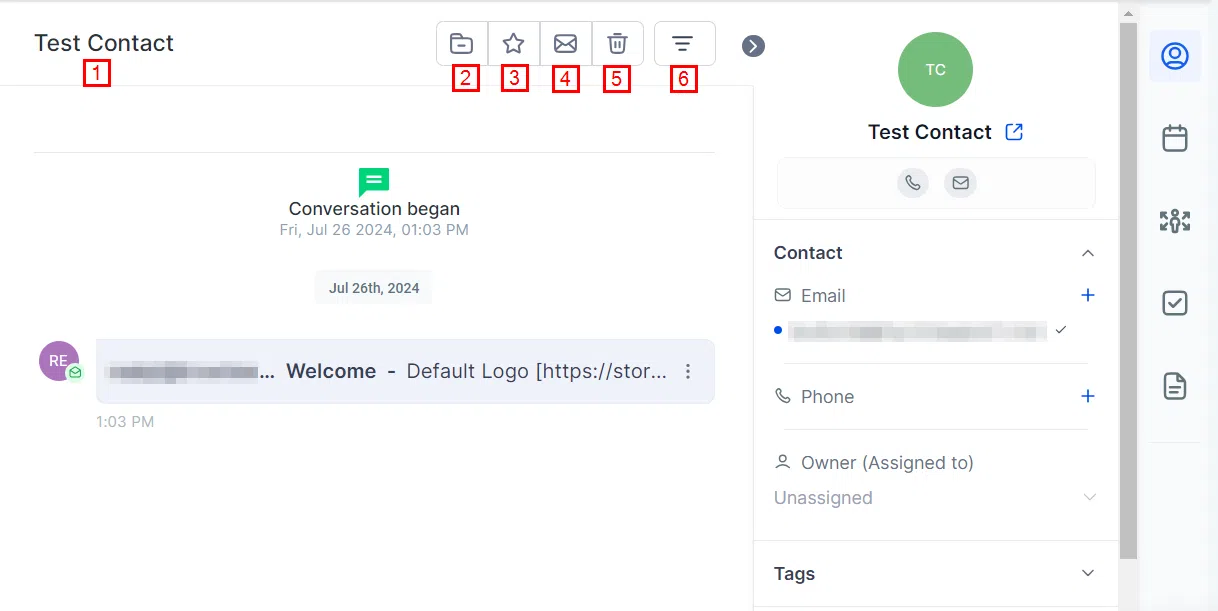
- Contact name: Displayed at the top so you always know who you’re looking at.
- Archive / Unarchive: Move inactive conversations out of your main view, and restore them when needed.
- Star / Unstar: Flag a conversation as important, or remove the flag.
- Mark as Read / Unread: Toggle the read status to help track which conversations still need a response.
- Delete: Permanently remove a conversation. This cannot be undone.
- Filter: Filter the conversation view by channel or activity type.
Conversation Log
The Conversation Log is the detailed history of all exchanges with a contact – messages organised by type and timestamped so you can follow the thread at a glance.