Growth360 lets you send the same payment link to multiple contacts at once via email or SMS, with each link personalised for the individual recipient so the checkout experience feels tailored rather than bulk.
How It Works
Instead of sharing a single public URL, Growth360 generates a personalised payment link for each contact you select. This means fields like name and email can be pre-filled at checkout, reducing friction and keeping the experience smooth for your customers.
Sending a Payment Link to Multiple Contacts
Step 1: Open the Payment Links Tab
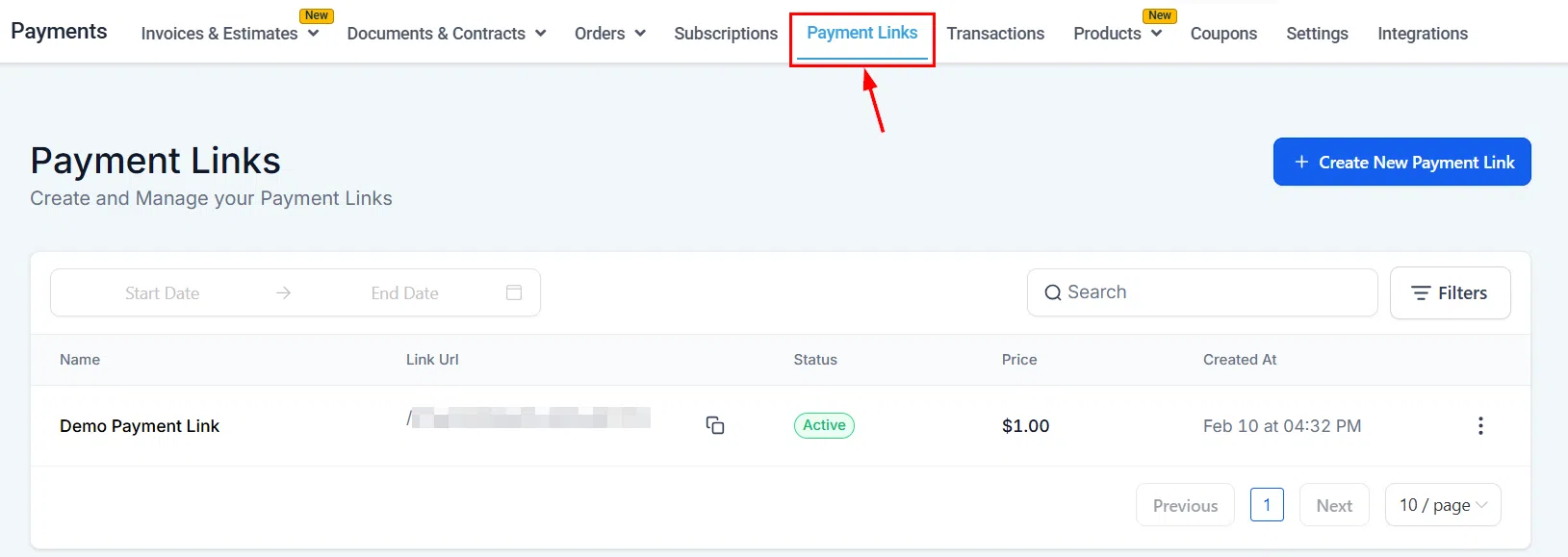
Go to Payments > Payment Links.
Step 2: Select a Link
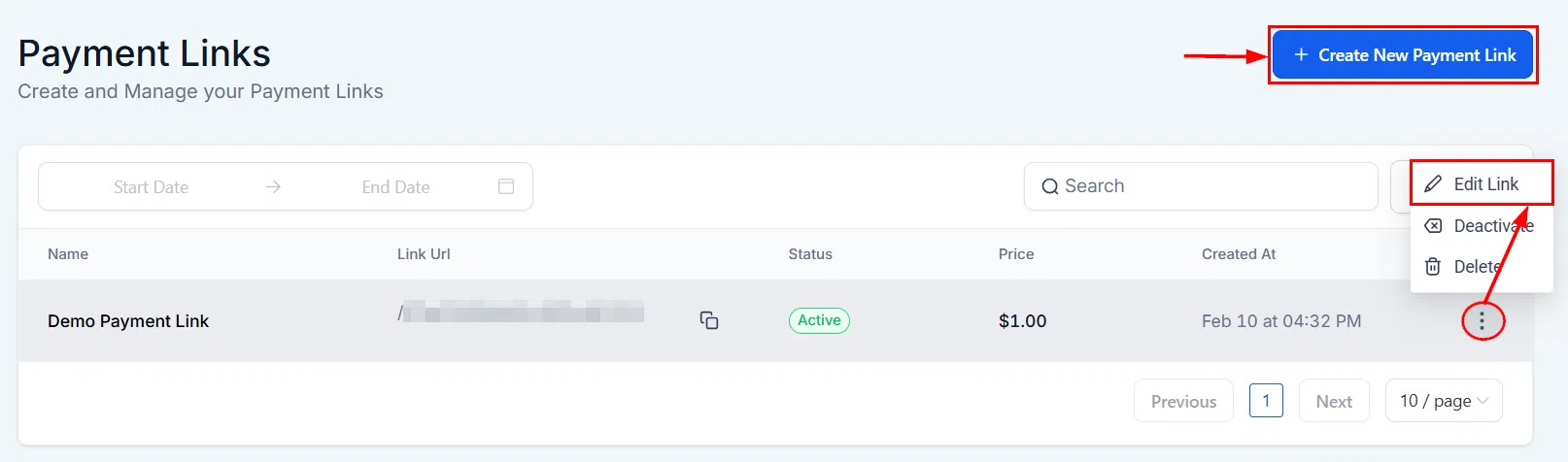
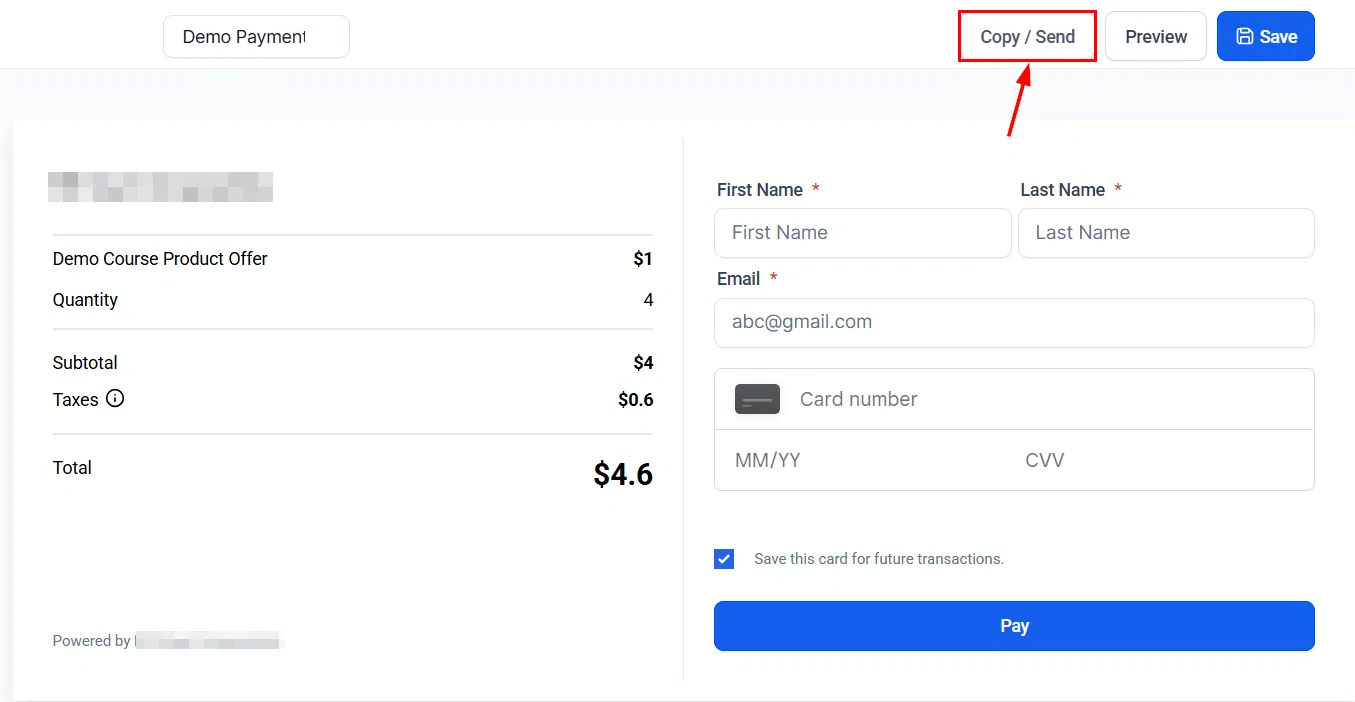
Find the payment link you want to send. You can edit an existing link via the three-dot menu, or create a new one. Once ready, click the Copy/Send button on the link.
Step 3: Switch to Send to Contacts
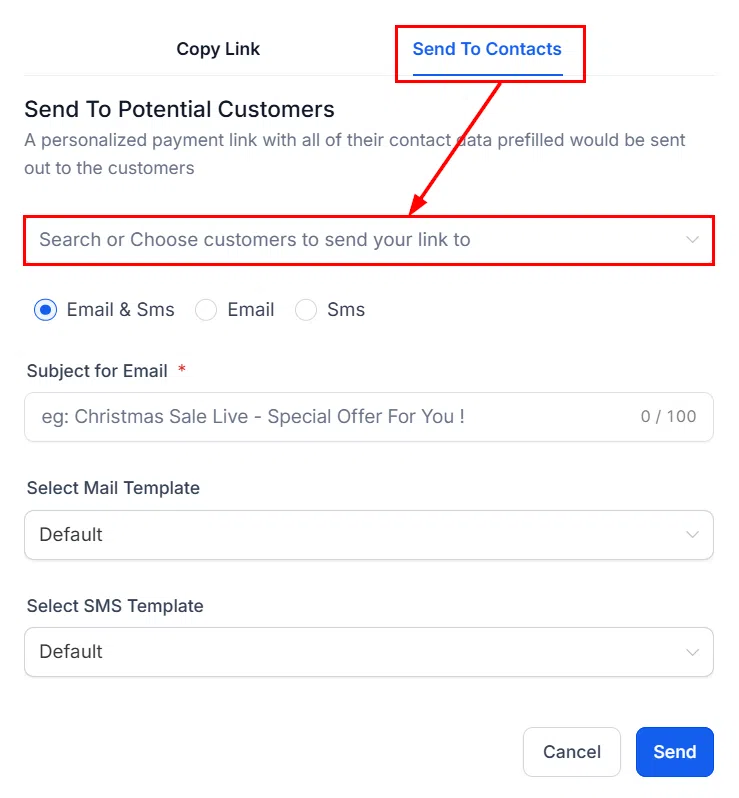
A pop-up window opens with two tabs: one to copy the link URL, and one to send directly to contacts. Switch to the Send to Contacts tab.
Step 4: Choose Your Contacts
Search for and select the contacts you want to send the link to. You can select multiple contacts at once.
Step 5: Select Delivery Mode
Choose whether to send the payment link via Email or SMS.

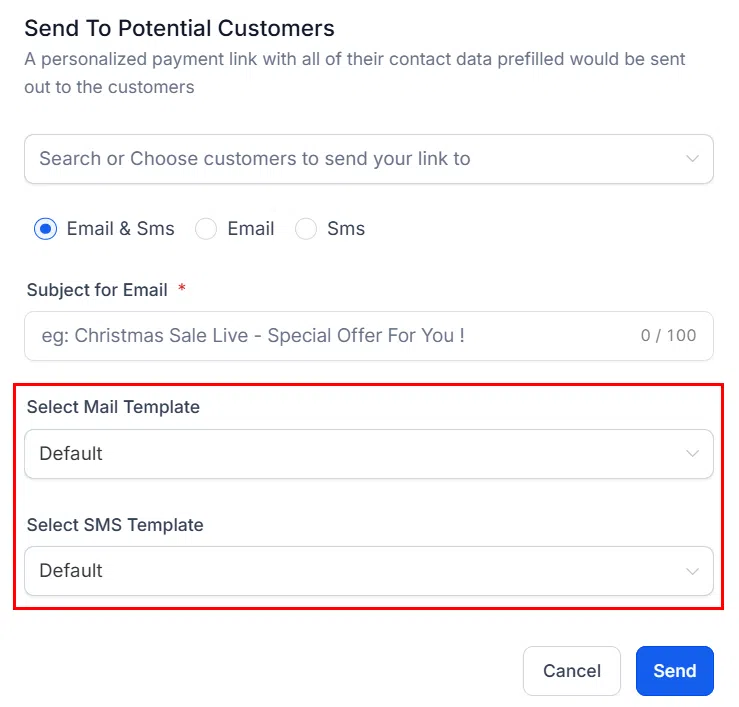
Step 6: Choose a Message Template
Select an existing email or SMS template to use as the message body. The payment link will be inserted automatically.
Step 7: Apply a Coupon (Optional)
If you want to offer a discount, apply a coupon code here. It will be included in the personalised link for each recipient.
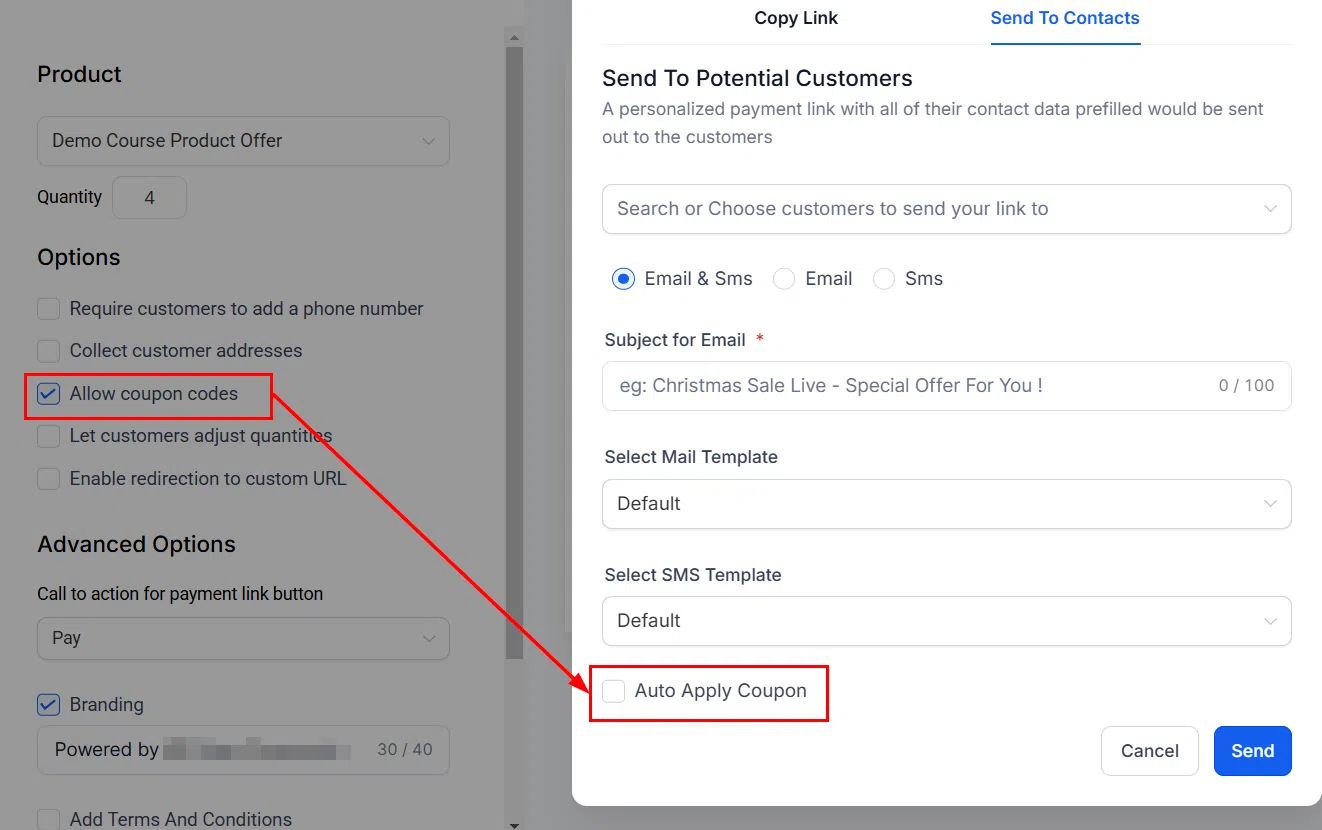
Step 8: Send
Click Send to deliver the personalised payment links to all selected contacts.

Each contact receives their own unique link with their details pre-filled, making it easy for them to complete the purchase in just a few clicks.