Growth360 Shipping and Delivery Settings lets you define shipping zones by country, set manual delivery rates based on cart value or flat fees, and configure a shipping origin address shown to customers at checkout.
Overview
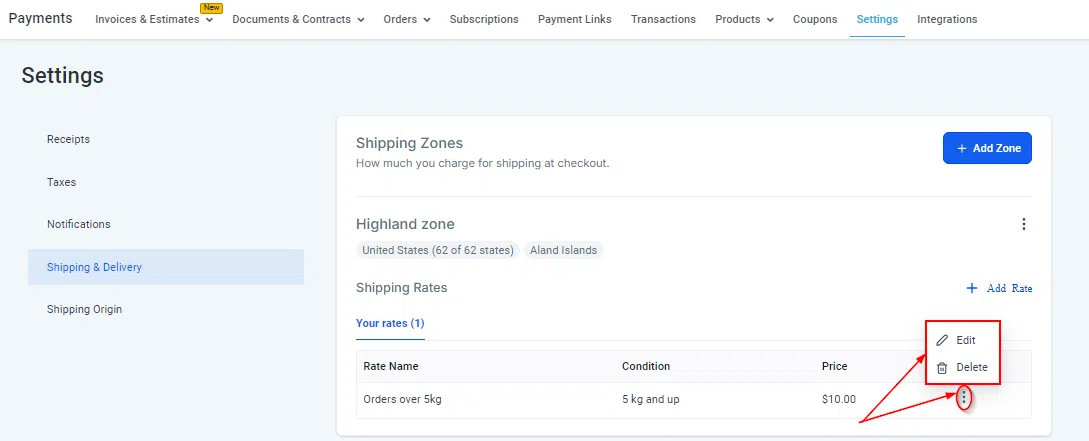
Go to Payments > Settings > Shipping & Delivery to set up your shipping configuration. This feature is designed for e-commerce store owners selling physical products who need to charge customers for delivery based on their location.
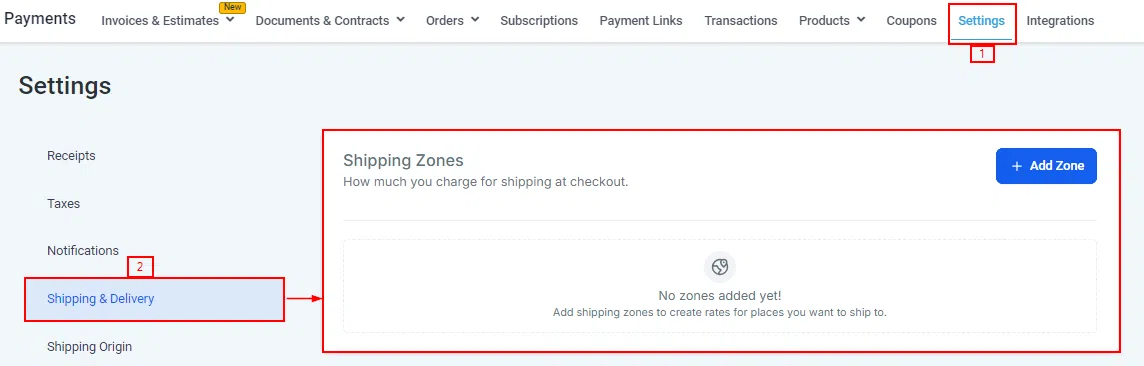
Shipping Zones
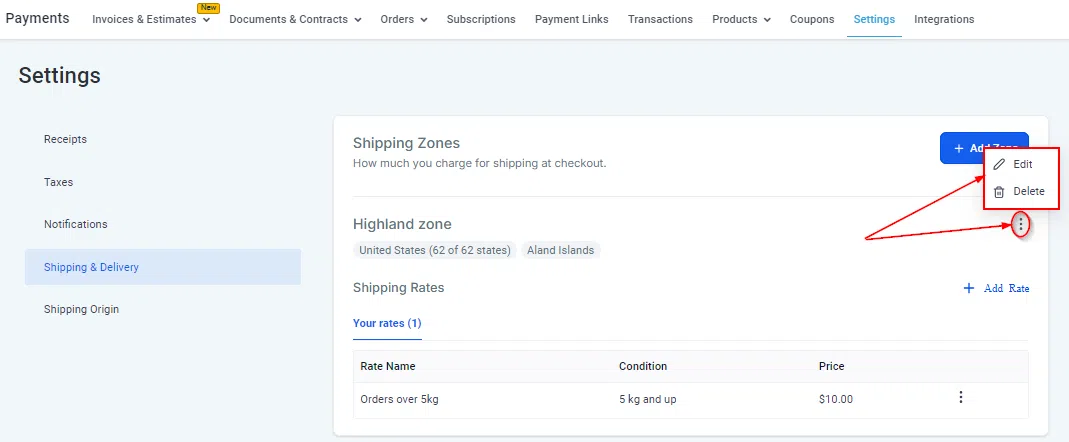
Shipping zones define the geographic areas you deliver to. Each zone groups one or more countries together and can have its own set of delivery rates.
Creating a Shipping Zone
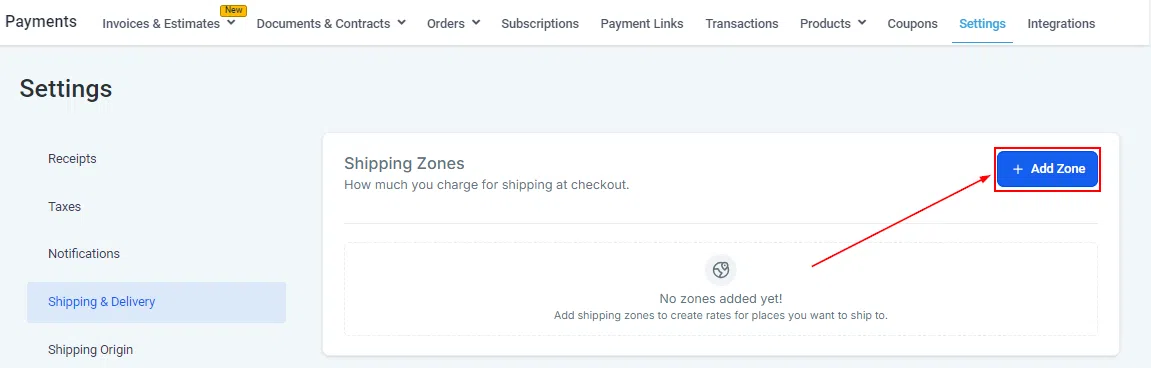
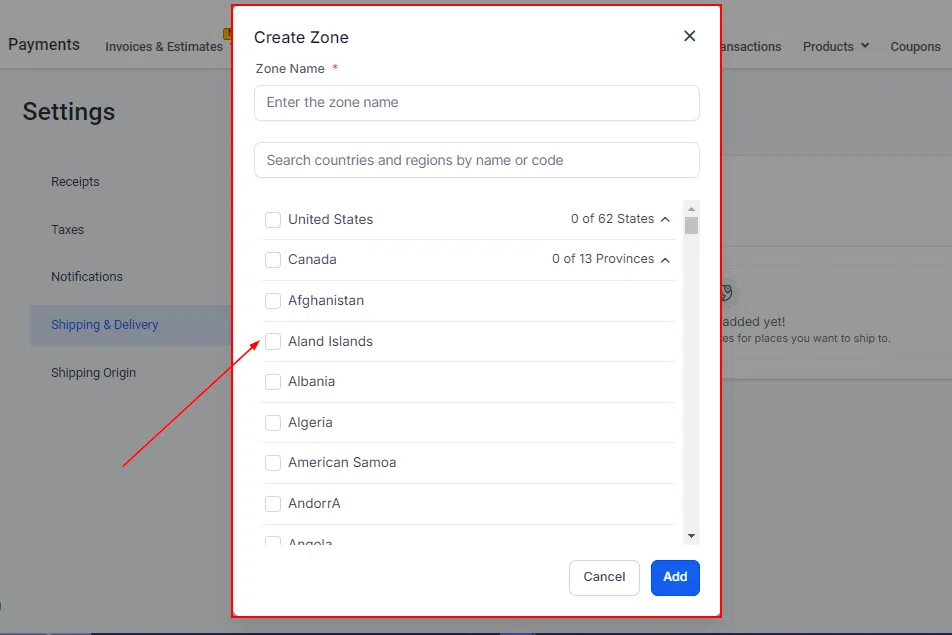
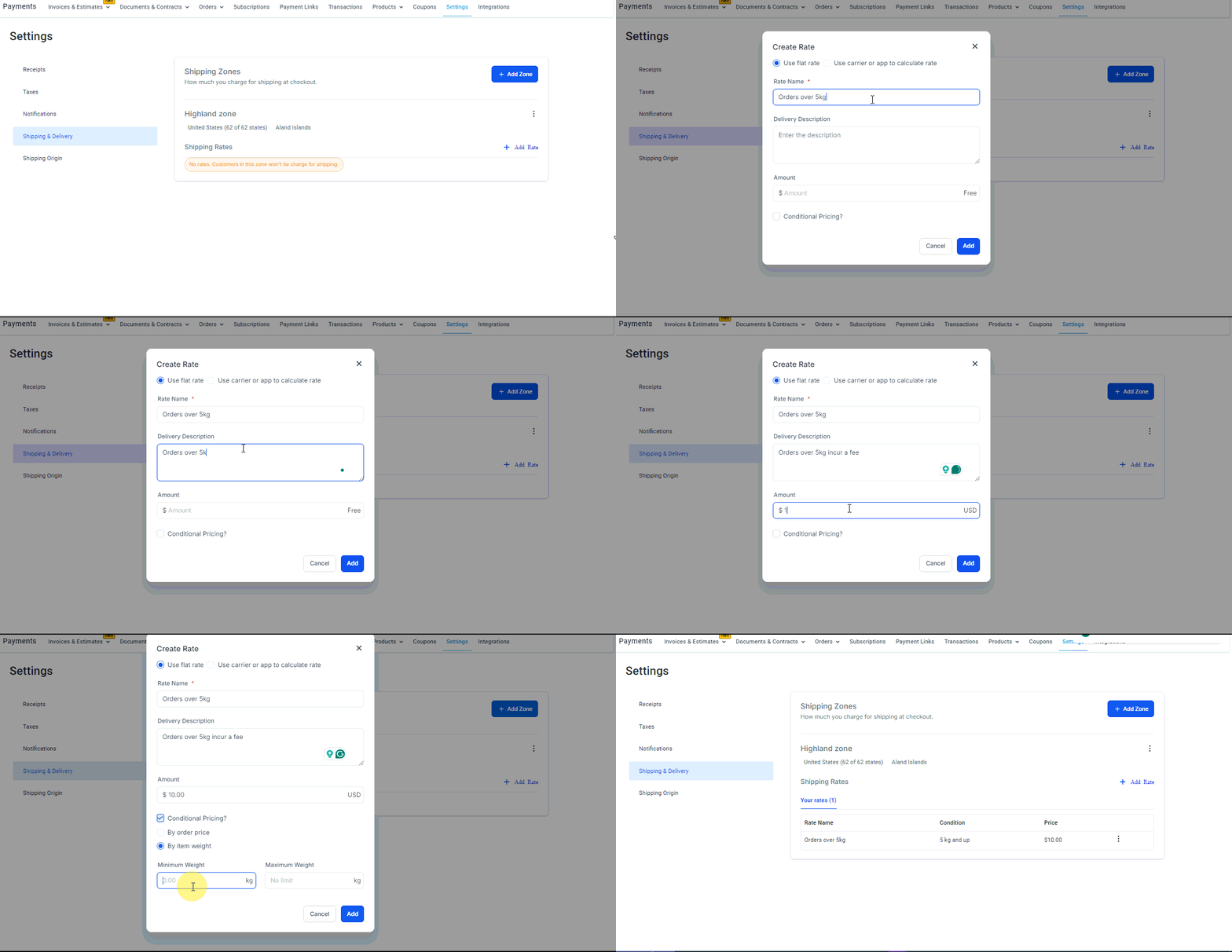
Click Add Zone and give it a name, then select the countries that belong to this zone.
Delivery Rates
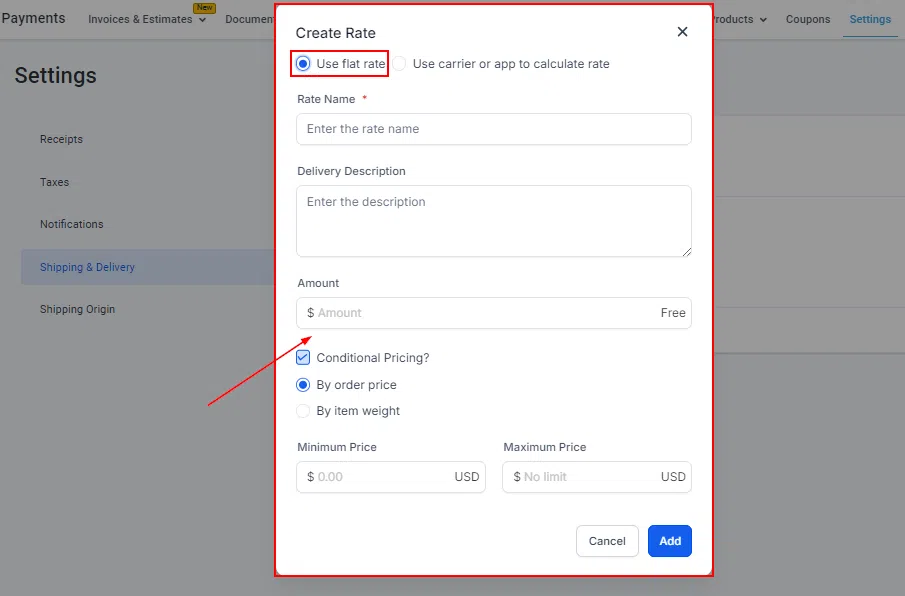
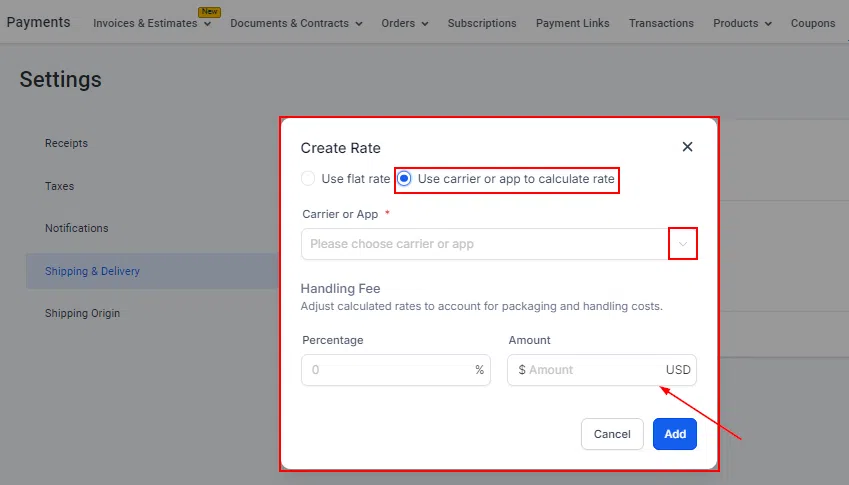
Within each zone, you can add one or more delivery rates. This lets you offer different pricing tiers – for example, free shipping for large orders and a flat rate for smaller ones.
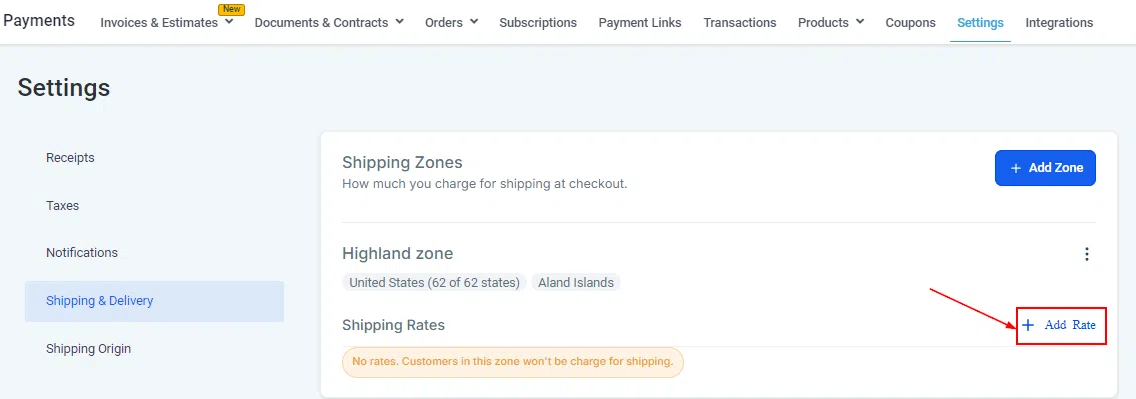
Rate Types
Rates can be configured in two ways:
- Flat rate: A fixed delivery charge regardless of order size.
- Cart value based: Define thresholds so the rate changes depending on the order total. For example, free shipping for orders over $500, otherwise a $10 flat rate.
Rate Names at Checkout
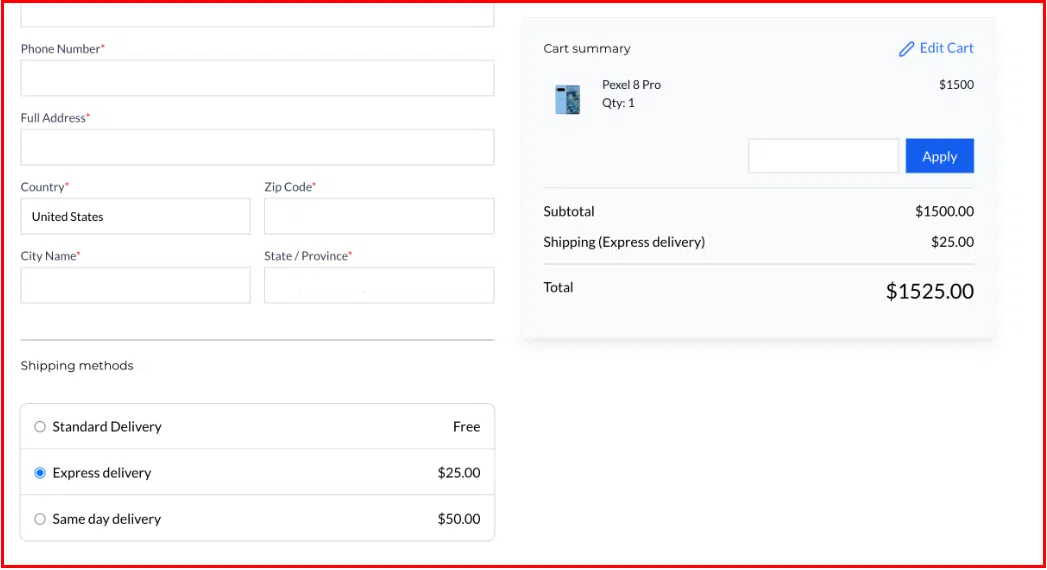
Customers will see the names and prices of your configured rates during checkout, allowing them to choose if you offer multiple options.
Shipping Origin
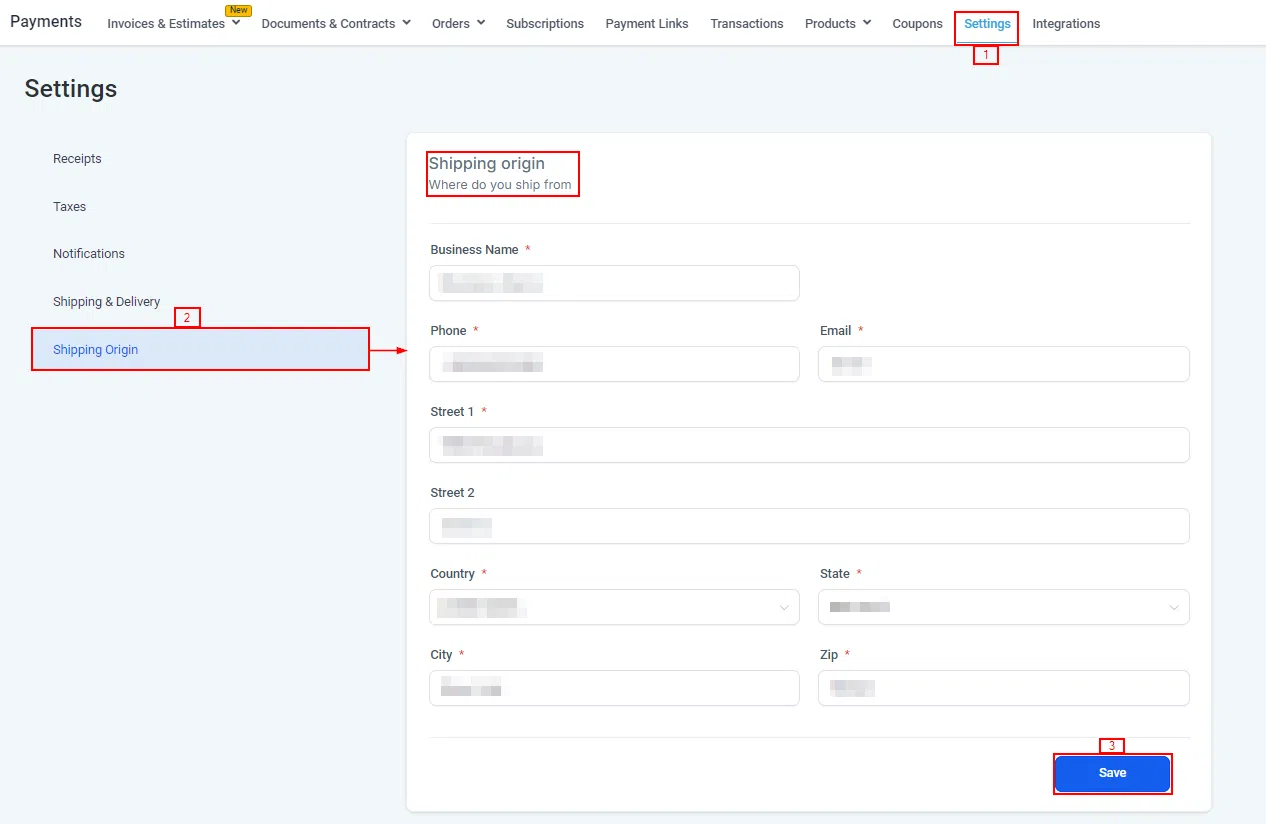
The shipping origin tells customers where their order is being dispatched from. This address appears at checkout to add transparency to the delivery process.
Order Form Integration
Once shipping zones and rates are configured, they appear automatically on your Growth360 order forms when a physical product is included in the order.
Troubleshooting
If you’re seeing display issues or errors on the settings page, try clearing your browser cache and cookies. Also confirm that your account has the necessary permissions to modify Payments settings.